

Retjechhh twitter
📦 The 'Retjechhh twitter' pack includes 15 stickers fun and expressive. Free download to install on WhatsApp. These stickers contain phrases in Malay.
-

cel. @ranahgue ini gue harus jawab kaya gimana ya 16.20-16/11/21 27
-

yoon @mygi gini nih kalo waktu kecil di adzanin nya lewat spotify 09.35 16/11/21 27
-

AHLI PASANG SUSUK 0812 496 5922 (PBS) PADEPOKAN BUMI SHALAWAT
-

Nih maem otak biar ada otaknya sedikit
-
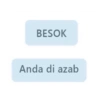
BESOK Anda di azab
-

belalang kupu-kupu yang baca jadi babu aku
-

Ve. @alwdfy Semakin tinggi ekspektasi semakin tinggi peluang depresi Translate Tweet 19:20 04 Apr 21 Twitter Web App
-

gausah ngode ngode,ngomong langsung aja yh alias gua kaga paham ajg.
-

ngapain dipikirin kaya punya otak aja 2:40 AM
-

chia, kalem. @matchialatte bgst ribet ya jdi miskin Translate Tweet 10:49 11 Oct 20 - Twitter for Android
-

< galang @abging123 emosi lahir batin gue liat kelakuan lo 18.49 28/05/21 Tweet 27
-

saya mengerti tuan
-

*mencoba teliti 91 Tetep gada bestie
-

stalk mulu, demen?
-

yoongi @minyg cape bgt mau jadi sendok 19:06 08/02/2020
Download and Install on WhatsApp
The Sticker Maker app is necessary to install this sticker pack on your WhatsApp. If you don't have it, download it from: Google Play Store and App Store. Once you have it on your phone, follow these instructions:
- Download the sticker file we provide below (it has the .wastickers extension). Locate the downloaded file on your mobile and tap it. Your device will ask you which application you want to open it with; select Sticker Maker. The app will automatically recognize the file as a new sticker pack.
- Once you see the pack inside Sticker Maker, just press the button that says "Add to My Library", then "Add to WhatsApp" and that's it! Your new stickers will be available for use in all your WhatsApp conversations.
Installation on WhatsApp with Sticker.ly
An easy way to add this pack is through the Sticker.ly app. If you don't have it yet, download it from: Google Play Store and App Store. Then choose one of these two simple methods:
- With Direct Link: Simply tap this link to the pack CFRPLC. If you have Sticker.ly installed, you will immediately see the stickers in the app.
- Using the Pack Code: If you prefer, you can copy the "pack code" by tapping here: and paste it into the search bar inside the Sticker.ly app.
Once inside Sticker.ly, confirm the action by tapping "Add to WhatsApp" and the stickers will be instantly sent to your WhatsApp app.























