

Chill
📦 The 'Chill' pack includes 29 stickers must-have stickers. Free download to install on WhatsApp.
-
-

-
-
-

州 tatap mata ojan
-
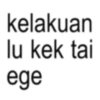
kelakuan lu kek tai ege
-

راد pemanasan sebelum menghajar dirimu.
-

CUK LAMBENE IKI ya
-

Today was a good day til I seen this shit........
-

P WINDAH HABATUSAUDA
-

KEPALA BAPAK KAU
-

M memegen.link YAHAHAHAHA
-

AYO KERJA KAN BELOM MATI
-

Nah Nah this is wild Wild
-

n. ?
-

-
Oskadon obat sakit kepala Paracetamol
-

setolol-tololnya kamu jangan pernah bela KPop, kayak bela agama
-

pantesan ketikan kaya taik ternyata army
-
-

THIS MEME ME MY MEME COLLECTION
-

mengalah bukan berarti kalah, mengalah berarti: "yoweslah, angel omong karo wong goblok"
-
chee | jual canva & netflix @sadbiitchie @00beinghuman netizen malem ini : "hah" "anjir" "busettt" "bjirrr" X • 3:44 PM Aug 20, 2024 Made with Pikaso.me
-

me when i fail at something im good at
-

dont be sad ok sad is for losers we're not losers we're worse than that ♡7 & 1:08 PM
-

-

GW JADIIN BIBIT LO
-

sekali duakali gpp duakali tiga enam @jvee
-

ketawa bngt anjk
Download and Install on WhatsApp
The Sticker Maker app is necessary to install this sticker pack on your WhatsApp. If you don't have it, download it from: Google Play Store and App Store. Once you have it on your phone, follow these instructions:
- Download the sticker file we provide below (it has the .wastickers extension). Locate the downloaded file on your mobile and tap it. Your device will ask you which application you want to open it with; select Sticker Maker. The app will automatically recognize the file as a new sticker pack.
- Once you see the pack inside Sticker Maker, just press the button that says "Add to My Library", then "Add to WhatsApp" and that's it! Your new stickers will be available for use in all your WhatsApp conversations.
Installation on WhatsApp with Sticker.ly
An easy way to add this pack is through the Sticker.ly app. If you don't have it yet, download it from: Google Play Store and App Store. Then choose one of these two simple methods:
- With Direct Link: Simply tap this link to the pack PZQ6ZL. If you have Sticker.ly installed, you will immediately see the stickers in the app.
- Using the Pack Code: If you prefer, you can copy the "pack code" by tapping here: and paste it into the search bar inside the Sticker.ly app.
Once inside Sticker.ly, confirm the action by tapping "Add to WhatsApp" and the stickers will be instantly sent to your WhatsApp app.























