

Amitabh Bachchan
📦 The 'Amitabh Bachchan' pack includes 19 stickers fun and expressive. Free download to install on WhatsApp. These stickers contain phrases in Hindi.
-

CHHE... LANAT HAI
-

WHO TOLD YOU?
-

JO GALAT HAI MATLAB GALAT HAI
-

BACHO KA FASHION, BACHO KA KHEL NAHI
-

KITNA OVERACTING KORTA HAI DADA DISGASTING
-

AAP TRY KAR K DEKH LIJIYE
-

KYUN AAP APNA IZZAT UCHHAL RAHE HAIN?
-

LADKA HEERA HAI HEERA
-

ANANDE RA ASRU
-
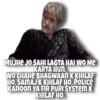
MUJHE JO SAHI LAGTA HAI WO Me KARTA HUN. WO CHAHE BHAGWAAN K KHILAF HO. SAMAJ K KHILAF HO, POLICE KANOON YA FIR PURI SYSTEM K KHILAF HO.
-

DEKH LIYA LAAPRWAAHI KA NATIJA
-

PARAMPARA. PRATISTHA, ANUSCAN
-

2 BOOND JINDAGI KI
-

ROZ NAHI, SIRF HAFTE me 7 Din
-
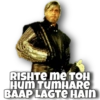
RISHTE me TOH HUM TUMHARE BAAP LAGTE HAIN
-

-

GAAON BASA NAHI KI LOOTERA HAJIR
-

JO CHAHe AAР КА MARZI KI JIYE
-
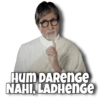
Hum DAREnGe NAHI, LADHenge
Download and Install on WhatsApp
The Sticker Maker app is necessary to install this sticker pack on your WhatsApp. If you don't have it, download it from: Google Play Store and App Store. Once you have it on your phone, follow these instructions:
- Download the sticker file we provide below (it has the .wastickers extension). Locate the downloaded file on your mobile and tap it. Your device will ask you which application you want to open it with; select Sticker Maker. The app will automatically recognize the file as a new sticker pack.
- Once you see the pack inside Sticker Maker, just press the button that says "Add to My Library", then "Add to WhatsApp" and that's it! Your new stickers will be available for use in all your WhatsApp conversations.
Installation on WhatsApp with Sticker.ly
An easy way to add this pack is through the Sticker.ly app. If you don't have it yet, download it from: Google Play Store and App Store. Then choose one of these two simple methods:
- With Direct Link: Simply tap this link to the pack 3EQPKK. If you have Sticker.ly installed, you will immediately see the stickers in the app.
- Using the Pack Code: If you prefer, you can copy the "pack code" by tapping here: and paste it into the search bar inside the Sticker.ly app.
Once inside Sticker.ly, confirm the action by tapping "Add to WhatsApp" and the stickers will be instantly sent to your WhatsApp app.























