Arijit Singh Songs
📦 The 'Arijit Singh Songs' pack includes 15 stickers for any conversation. Free download to install on WhatsApp. These stickers contain phrases in Urdu.
-
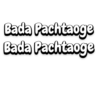
Bada Pachtaoge Bada Pachtaoge
-
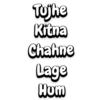
Tujhe Kitna Chahne Lage Hum
-

Tera Yaar Hu Mein
-

Baki Sab First Class Hai
-
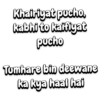
Khairiyat pucho, kabhi to kaifiyat pucho Tumhare bin deewane ka kya haal hai
-

Bekhayali me bhi tera hi khayal aye
-

Itni Si Baat Hai Mujhe Tumse Pyaar Hai
-

Jo tum na ho To rahenge hum nahi Na chaiye kuch tumse zyada tumse kam nahi
-

Haan Mein Galat
-

Yehi Umar Hai Karle Galti Se Mistake
-

Mein Tera Boyfriend Tu Meri Girlfriend
-

Janam Janam Janam Sath Chalna Yuhi
-

Kabhi Jo Badal Barse Main Dekhoon Tujhe Aankhein Bharke.. Tu Lage Mujhe Pahli Baarish Ki Duaa..
-

Sanam Re Sanam Re Tu Mera Sanam Hua Re
-
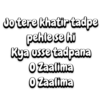
Jo tere khatir tadpe pehle se hi Kya usse tadpana O Zaalima O Zaalima
Download and Install on WhatsApp
The Sticker Maker app is necessary to install this sticker pack on your WhatsApp. If you don't have it, download it from: Google Play Store and App Store. Once you have it on your phone, follow these instructions:
- Download the sticker file we provide below (it has the .wastickers extension). Locate the downloaded file on your mobile and tap it. Your device will ask you which application you want to open it with; select Sticker Maker. The app will automatically recognize the file as a new sticker pack.
- Once you see the pack inside Sticker Maker, just press the button that says "Add to My Library", then "Add to WhatsApp" and that's it! Your new stickers will be available for use in all your WhatsApp conversations.
Installation on WhatsApp with Sticker.ly
An easy way to add this pack is through the Sticker.ly app. If you don't have it yet, download it from: Google Play Store and App Store. Then choose one of these two simple methods:
- With Direct Link: Simply tap this link to the pack O4QWOG. If you have Sticker.ly installed, you will immediately see the stickers in the app.
- Using the Pack Code: If you prefer, you can copy the "pack code" by tapping here: and paste it into the search bar inside the Sticker.ly app.
Once inside Sticker.ly, confirm the action by tapping "Add to WhatsApp" and the stickers will be instantly sent to your WhatsApp app.