

BOB MEMES RANDOM 3 (By ᏩᎥᏕє εїз)
📦 The 'BOB MEMES RANDOM 3 (By ᏩᎥᏕє εїз)' pack includes 30 stickers easy to install. Free download to install on WhatsApp. These stickers contain phrases in Spanish.
-

¿Y yo qué chucha hago? RENTAZ ¿Te aplaudo la cara con mi pichula?
-

Bob Kchero Agg ctmr borra esa mrd
-

Chu, chu... 10 chupame la pinGAAA
-

Pero cómo chucha esta kgada DAZ Stú todo mongol publicando huevadas tiene Internet en su cerro ah?!
-
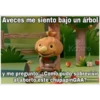
Aveces me siento bajo un árbol Bob Kchero y me pregunto: ¿Como pudo sobrevivir al aborto este chupapinGAA?
-

AEA MANO ME LLEGA AL PINCHO
-
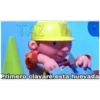
TAZ Primero clavaré esta huevada
-

Tmr como la extraño...
-

¿No te cansas de publicar HCons huevadas reconchatumare?
-

Qué fue, kgada... encontré el video de tu vieja
-

Y?, a caso crees que me interesa, mongol? Bob Kchero
-

AEA MANO TOMA TÚ PREMIO POR MONGOL
-

HCore La kgada tu vieja
-

ALL VOY A CONSTRUIR UN CHONGO... PAQ CHAMBEE TU HRMANA Y TU VIEJA
-

ESPERA MANO A PRIMERO ME CACHO A TU HERMANA
-

Aca pe TE Practicando para darle de a tobi a tu vieja
-

Luego me la clavaré a tu vieja ctmr
-

JAJA LA KGADA ESA LLAMA
-

TAZ HACS Ahora qué hice ah? Dime pe
-

Ya fue pe causa, voy a chorear la mercadería de tu viejita TAZ
-

Causa vi a tu flaca con un crrano A chucha eras tu, jajaja
-

ALO BOB...CREO QUE SI PODEMOS CLAVARLE TU PINGA A ESTE SERRANO visita: www.crear-meme.com
-

Ala huevadas, firme?
-
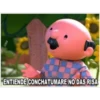
SEYNSITO ENTIENDE CONCHATUMARE NO DAS RISA
-

Desde aquí veo como se la kchan a tu vieja, mongol
-
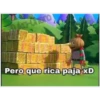
Tuka-Chero Pero que rica paja xD
-

Bob Kchero Yo no voy a devolver a esa niña, ok?
-
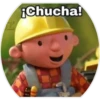
¡Chucha!
-

ACS Nero, kchate a ese huevón pe
-

JAZ Pa' eso?
Download and Install on WhatsApp
The Sticker Maker app is necessary to install this sticker pack on your WhatsApp. If you don't have it, download it from: Google Play Store and App Store. Once you have it on your phone, follow these instructions:
- Download the sticker file we provide below (it has the .wastickers extension). Locate the downloaded file on your mobile and tap it. Your device will ask you which application you want to open it with; select Sticker Maker. The app will automatically recognize the file as a new sticker pack.
- Once you see the pack inside Sticker Maker, just press the button that says "Add to My Library", then "Add to WhatsApp" and that's it! Your new stickers will be available for use in all your WhatsApp conversations.























