

Albures de la caracola mágica
📦 The 'Albures de la caracola mágica' pack includes 30 stickers you'll love. Free download to install on WhatsApp. These stickers contain phrases in Spanish.
-

Donde pongo el ojo, pongo la vara Did
-

No sacudan tanto el chile que se riega la semilla. Did
-

No importa lo grueso sino lo travieso Didy
-

Atras se pide pero por delante se despacha Did
-

Más vale prevenir que la mentársela. Did
-

No sacudas tanto la cuna que despiertas al niño Did
-

Te cabe toda la razón, tienes toda la razon adentro Did
-

No soy de Alvarado sino de Jalapa, osea jalaspito.
-

No se apene, pasele joven Did
-

Te molesto con el chile? esque me agarra lejos. Did
-

Aquí huele a azucenas Did
-

Tú me la Perez Prado con canciones de Agustin Lara. Did
-

Si sientes feo cuando me voy, qué sientes cuando me vengo? CD Did D
-

No me agarren el chiquito porque empieza a chillar Did
-
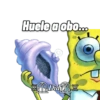
Huele a obo...
-

Vamos a meterle el mulequito a la rosca. Did
-

En las taquerias comes parado? Did
-
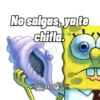
No salgas, ya te chifla Did
-
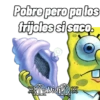
Pobre pero pa los frijoles si saco Didi
-

Yo no soy su pariente, pero vengo atrás de usted. Did
-

Recuerda que la experiencia la agarraste de grande. Did
-

A la larga te acostumbras. Did
-
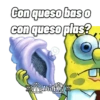
Con queso bas o con queso plas? Did
-
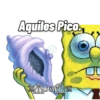
Aquiles Pico Did
-

El chiquito me dallas. Did
-
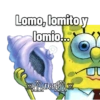
Lomo, lomito y lomio...
-
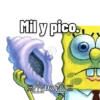
Mil y pico. Did
-
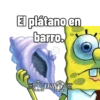
El plátano en barro. Did
-

No, tu papá ya es de edad mayor. Did
-

Me agarras de bajada. J Did
Download and Install on WhatsApp
The Sticker Maker app is necessary to install this sticker pack on your WhatsApp. If you don't have it, download it from: Google Play Store and App Store. Once you have it on your phone, follow these instructions:
- Download the sticker file we provide below (it has the .wastickers extension). Locate the downloaded file on your mobile and tap it. Your device will ask you which application you want to open it with; select Sticker Maker. The app will automatically recognize the file as a new sticker pack.
- Once you see the pack inside Sticker Maker, just press the button that says "Add to My Library", then "Add to WhatsApp" and that's it! Your new stickers will be available for use in all your WhatsApp conversations.
Installation on WhatsApp with Sticker.ly
An easy way to add this pack is through the Sticker.ly app. If you don't have it yet, download it from: Google Play Store and App Store. Then choose one of these two simple methods:
- With Direct Link: Simply tap this link to the pack MFC4IC. If you have Sticker.ly installed, you will immediately see the stickers in the app.
- Using the Pack Code: If you prefer, you can copy the "pack code" by tapping here: and paste it into the search bar inside the Sticker.ly app.
Once inside Sticker.ly, confirm the action by tapping "Add to WhatsApp" and the stickers will be instantly sent to your WhatsApp app.























