

Shakti Arora * Dialogues of SA
📦 The 'Shakti Arora * Dialogues of SA' pack includes 30 stickers easy to install. Free download to install on WhatsApp. These stickers contain phrases in Hindi.
-
Rulayega kiya pagle... 6 → #PESBUKER
-

Tera dhyan kidhar hai... TERA HERO IDHAR HAI
-

BADA AYA BAAT KARNE
-

HADH HAI!!
-

SHAKTIMAAN!!
-

V BACK OFF!!
-

Itni khushi itni khushi mujhe aaj tak nhi mili
-
Slip of tongue
-
D I was just Joking!!!
-
This is just Not fair
-

D M I Dreaming?!!
-

00 Yess!! I got it
-

Bhagoooo!!!
-

Ji Haan... main hu khalnayak
-

This is मार Crazyyy!!
-

MAY I HAVE UR KIND DEADLY FANTASTIC | ATTENTION plz!!!
-
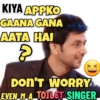
KIYA APPKO GAANA GANA AATA HAI 8 XD DON'T WORRY EVEN M A TOILET SINGER
-

HOW DOES THAT MATTER 2 you??
-

MAI AARAHA HU... BACH SAKO Toh Bacho
-

MUJHE UNKI NHI UNHE MERI ZARURAT HAI...
-

MAI LOGO PAR EHSAAN kark BHOOL JAATA HU.. lekin Kisika EHSAAN KABHI NHI BHOOLTA...
-

"JAHA ZARURAT HOTI HAI WAHA INTEZAAR KARWANA ZARURI HO JAATA HAI.".
-

"MAI AAPNE LEVEL WALO K SATH HI LADTA HU"
-

BOL DAAT PYAAREY HAI YA PAISE ? th W
-

10 STEPS EASY PROGRAMME! 1. mudo 2. AAPNE kamre ARCREATION ma jao... 3. AAPNA SARA SAAMAN pack karo 4. WAHASE 6 KADAM LO DARWAJE TAK pahucho aur NIKAL JAO...
-

"SHAYAD MUJHE NHI PTA PYAAR KIYA HOTA HAI... PAR YE ZAROOR janti hu PYAAR MEIN DHOKA KHANA KAISA HOTA HAI
-

RV KI PARTY RV KI STYLE MAIN HONI CHAHIYE ALWAYS ROCKING!!
-

ISN'T MY 1 SMILE ENOUGH TO MAKE U SMILE?
-

KISNE KI YE SHARARAT?
-

ITNI SWEETNESS DIKHAYEGI TOH... MUJHE TOH SUGAR HI HO JAYEGA
Download and Install on WhatsApp
The Sticker Maker app is necessary to install this sticker pack on your WhatsApp. If you don't have it, download it from: Google Play Store and App Store. Once you have it on your phone, follow these instructions:
- Download the sticker file we provide below (it has the .wastickers extension). Locate the downloaded file on your mobile and tap it. Your device will ask you which application you want to open it with; select Sticker Maker. The app will automatically recognize the file as a new sticker pack.
- Once you see the pack inside Sticker Maker, just press the button that says "Add to My Library", then "Add to WhatsApp" and that's it! Your new stickers will be available for use in all your WhatsApp conversations.
Installation on WhatsApp with Sticker.ly
An easy way to add this pack is through the Sticker.ly app. If you don't have it yet, download it from: Google Play Store and App Store. Then choose one of these two simple methods:
- With Direct Link: Simply tap this link to the pack 4AL4XT. If you have Sticker.ly installed, you will immediately see the stickers in the app.
- Using the Pack Code: If you prefer, you can copy the "pack code" by tapping here: and paste it into the search bar inside the Sticker.ly app.
Once inside Sticker.ly, confirm the action by tapping "Add to WhatsApp" and the stickers will be instantly sent to your WhatsApp app.























