

Kata Kata Anomali Gamon
📦 The 'Kata Kata Anomali Gamon' pack includes 25 stickers for any conversation. Free download to install on WhatsApp.
-
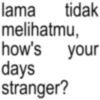
lama tidak melihatmu, how's your days stranger?
-
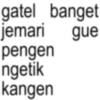
gatel banget jemari gue pengen ngetik kangen
-

duh bahas apa lagi ya, bisa biar chatan
-
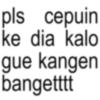
ཊུ pls cepuin ke dia kalo gue kangen bangetttt
-

intinya tuh, how can i move on
-
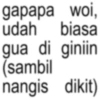
gapapa woi, udah biasa gua di giniin (sambil nangis dikit)
-
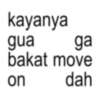
kayanya gua ga bakat move dah on
-
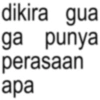
dikira gua ga punya perasaan apa
-

in ཛྙཱ g Maybe another life, i'll be the one you choose.
-

kenyang makan harapan
-
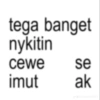
tega banget nykitin cewe se imut 95 ak Je strawbenlili
-

sakit hati gua mah bangsat
-
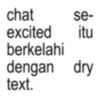
chat se- excited itu berkelahi dengan dry text.
-

jangan jahat jahat plis gua orangnya nangisan
-
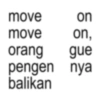
move on move on, orang gue pengen nya balikan
-

inpo tempat ngopi yg buy one get you come back to me
-
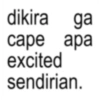
dikira ga cape apa excited sendirian.
-

aq pamit trimakasih atas rasa sakitnyh jika qm menyesal temukan ak dirasa sesalmu
-

Sudah malam atau sudah ada yang gantikanku
-
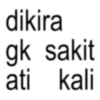
dikira gk sakit ati kali
-

nyeri heart
-

EMANG BOLE SE JEALOUS INI?
-

gamon kok di pelihara, YAHAHA
-

Pantaskah aku menyimpan rasa cemburu?
-

mundur kocak, lu tuh excited sendirian
Download and Install on WhatsApp
The Sticker Maker app is necessary to install this sticker pack on your WhatsApp. If you don't have it, download it from: Google Play Store and App Store. Once you have it on your phone, follow these instructions:
- Download the sticker file we provide below (it has the .wastickers extension). Locate the downloaded file on your mobile and tap it. Your device will ask you which application you want to open it with; select Sticker Maker. The app will automatically recognize the file as a new sticker pack.
- Once you see the pack inside Sticker Maker, just press the button that says "Add to My Library", then "Add to WhatsApp" and that's it! Your new stickers will be available for use in all your WhatsApp conversations.
Installation on WhatsApp with Sticker.ly
An easy way to add this pack is through the Sticker.ly app. If you don't have it yet, download it from: Google Play Store and App Store. Then choose one of these two simple methods:
- With Direct Link: Simply tap this link to the pack H9OSMF. If you have Sticker.ly installed, you will immediately see the stickers in the app.
- Using the Pack Code: If you prefer, you can copy the "pack code" by tapping here: and paste it into the search bar inside the Sticker.ly app.
Once inside Sticker.ly, confirm the action by tapping "Add to WhatsApp" and the stickers will be instantly sent to your WhatsApp app.
Use on Telegram
For Telegram users, installing a sticker pack is a native and extremely simple process. Just follow this link that will take you to Telegram: stickerly_H9OSMF_by_stickerly_official_bot. When the app opens, you will instantly see the pack and can add it to your library, without the need for third-party apps.























