

18+ memes
📦 The '18+ memes ' pack includes 21 stickers easy to install. Free download to install on WhatsApp. These stickers contain phrases in Hindi.
-
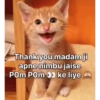
Thank you madam ji apne nimbu jaise Pom Pom o ke liye
-

Arre mori mayiya.. Sir ji ka chotu toh sote waqt bhi kitna cute dikhta hai
-

Chalo batao pehle soker tum uthte ho ya tumhara nunnu. IG/ meenu_pokie00
-

Apna or apne Nunnu donu ka khayal rakha karo. Mujhe donu se pyar hai.. IG/meenu_pokle00
-
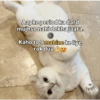
Aapke period ka dard mujhse nahi dekha jaata. Kaho to 9 mahine ke liye rok duu
-
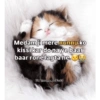
Medam ji mere nunnu ko kissi kar do na ye baar baar rone lagta he. IG/meenu_pokie00
-
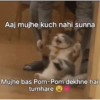
Mo Aaj mujhe kuch nahi sunna Mujhe bas Pom-Pom dekhne hai tumhare
-

Kya aap mujhe apni vo vali pic bej skte hai (dekh kr delete krne vali) Pookkiiee_143 Fizzzzzz
-

Reason for sadness 8 PomPom nahi milna 10.
-
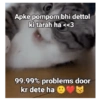
Apke pompom bhi dettol ki tarah ha<<3 99.99% problems door kr dete ha
-
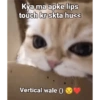
Kya ma apke lips touch kr skta hu<< Vertical wale ()
-
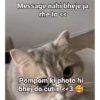
Message nahi bheje ja rhe to << Pompom ki photo hi bhej do cutie <<3
-

Ab to madam ji ke pompom hi <<< Mera depression stress door kr skte hai <3
-
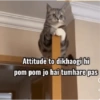
Attitude to dikhaogi hi pom pom jo hai tumhare pas C 4
-
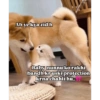
Ab ye kya zid h Baby nunnu ko rakhi bandh kruski protection krna chahti hu..
-

HELISTAR.COM AVIATOR AME ONLINE Are tum Ha tum hi. << Tum to vhi ho na jiske pompom bhot cute ha <
-
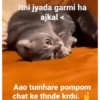
Itni jyada garmi ha ajkal < Aao tumhare pompom chat ke thnde krdu.
-
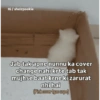
IG/sheizpookie Jab tak apne nunnu ka cover change nahi krte tab tak mujhse baat krne ki zarurat nhihai (Pink cover Igao uspe)
-

Babu aapke nunnu ki yaad aa rhi h..
-
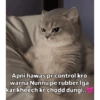
Apni hawas pr control kro warna Nunnu pe rubber Iga kar kheech kr chodd dungi..
-

Ye nhi sudheregi Nunnu khilao
Download and Install on WhatsApp
The Sticker Maker app is necessary to install this sticker pack on your WhatsApp. If you don't have it, download it from: Google Play Store and App Store. Once you have it on your phone, follow these instructions:
- Download the sticker file we provide below (it has the .wastickers extension). Locate the downloaded file on your mobile and tap it. Your device will ask you which application you want to open it with; select Sticker Maker. The app will automatically recognize the file as a new sticker pack.
- Once you see the pack inside Sticker Maker, just press the button that says "Add to My Library", then "Add to WhatsApp" and that's it! Your new stickers will be available for use in all your WhatsApp conversations.
Installation on WhatsApp with Sticker.ly
An easy way to add this pack is through the Sticker.ly app. If you don't have it yet, download it from: Google Play Store and App Store. Then choose one of these two simple methods:
- With Direct Link: Simply tap this link to the pack DI1PAG. If you have Sticker.ly installed, you will immediately see the stickers in the app.
- Using the Pack Code: If you prefer, you can copy the "pack code" by tapping here: and paste it into the search bar inside the Sticker.ly app.
Once inside Sticker.ly, confirm the action by tapping "Add to WhatsApp" and the stickers will be instantly sent to your WhatsApp app.
Use on Telegram
For Telegram users, installing a sticker pack is a native and extremely simple process. Just follow this link that will take you to Telegram: stickerly_DI1PAG_by_stickerly_official_bot. When the app opens, you will instantly see the pack and can add it to your library, without the need for third-party apps.























