AYANGE
📦 The 'AYANGE' pack includes 17 stickers fun and expressive. Free download to install on WhatsApp.
-

RELA GANTI ALAM DARIPADA HIDUP NGGA SAMA AYANG
-

MEMBANGUN 1000 CANDI DEMI BISA DAPETIN AYANG
-

DIASINGKAN DAN DIANGGAP GILA DILAKUIN DEMI AYANG
-

MENGHANCURKAN DUNIA SHINOBI KARENA DITINGGAL AYANG
-

GELUT AMA RAMA DEMI AYANG
-
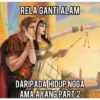
NU RELA GANTI ALAM DARIPADA HIDUP NGGA AMA AYANG PART 2
-
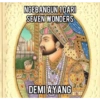
NGEBANGUN 1 DARI SEVEN WONDERS DEMI AY ANG
-

yaallah tolong jadikan dia jodohku, kalaupun bukan, harus dia pokoknya, aku maksa, aamiin
-
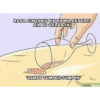
RASA CINTAKU KE KAMU SEPERTI AIR DI GELAS INI 'SAMPE TUMPEH-TUMPEH wikiHow
-

Aku tidak gagal mencintaimu QUED Aku hanya gagal membuatmu mencintaiku
-
? MEMIKIRKAN MASA DEPAN DENGANMU NANTI
-

sebenernya gue suka sama lo maaf kita cuman TEMEN
-

Membantu mengeluarkan isi hatimu!
-
Aku memilih ke selatan saja sebab rasa ini tak mampu ku utarakan E
-

RELA DANDAN BEGINI RADV DEMI AYANG
-

RELA SATU DUNIA BANJIR DEMI AYANG R
-

overthinking karena chat belum dibales ayang adubracel wikiHow
Download and Install on WhatsApp
The Sticker Maker app is necessary to install this sticker pack on your WhatsApp. If you don't have it, download it from: Google Play Store and App Store. Once you have it on your phone, follow these instructions:
- Download the sticker file we provide below (it has the .wastickers extension). Locate the downloaded file on your mobile and tap it. Your device will ask you which application you want to open it with; select Sticker Maker. The app will automatically recognize the file as a new sticker pack.
- Once you see the pack inside Sticker Maker, just press the button that says "Add to My Library", then "Add to WhatsApp" and that's it! Your new stickers will be available for use in all your WhatsApp conversations.
Installation on WhatsApp with Sticker.ly
An easy way to add this pack is through the Sticker.ly app. If you don't have it yet, download it from: Google Play Store and App Store. Then choose one of these two simple methods:
- With Direct Link: Simply tap this link to the pack 53MUDQ. If you have Sticker.ly installed, you will immediately see the stickers in the app.
- Using the Pack Code: If you prefer, you can copy the "pack code" by tapping here: and paste it into the search bar inside the Sticker.ly app.
Once inside Sticker.ly, confirm the action by tapping "Add to WhatsApp" and the stickers will be instantly sent to your WhatsApp app.
Use on Telegram
For Telegram users, installing a sticker pack is a native and extremely simple process. Just follow this link that will take you to Telegram: stickerly_53MUDQ_by_stickerly_official_bot. When the app opens, you will instantly see the pack and can add it to your library, without the need for third-party apps.