

Omeninodohtml
📦 The 'Omeninodohtml' pack includes 30 stickers must-have stickers. Free download to install on WhatsApp. These stickers contain phrases in Portuguese.
-

@omeninodohtml TENHO FE NO MEU CÓDIGO
-

POR QUE USAR PADRÕES DE PROJETO? Z N @omeninodohtml
-

@omeninodohtml HHEE EU NÃO USO FRAMEWORK PORQUE ME LIMITA MUITO
-

SOU UM PURISTA CSS 88 @omeninodohtml
-

SOU DA ÉPOCA DO ANGULARJS 88 @omeninodohtml
-
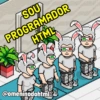
SOU PROGRAMADOR HTML H₂ @omeninodohtml
-

@omeninodohtml MAS VOCÊ QUER BONITO OU FUNCIONANDO?
-

@omeninodohtml TESTÈ É PERDA DE TEMPO
-

@omeninodohtml & MA 11 É SÓ FAZER UM IF
-

@omeninodohtml SOU BOM EM CSS
-

MINDS @omeninodohtml MEU CÓDIGO É MUITO ORGANIZADO
-

@omeninodohtml PREFIRO JQUERY
-

@omeninodohtml MINHA APLICAÇÃO NÃO CAI
-

@omeninodohtml ODOM A FLEX É PARA QUEM NÃO SABE USAR FLOAT
-

@omeninodohtml É SÓ COMENTAR OS TESTES
-

1+1= @omeninodohtml PRIMEIRO FAZEMOS PARA FUNCIONAR, DEPOIS PARA FUNCIONAR RÁPIDO
-

nın 110 @omeninodohtml nicH SÓ FUNCIONA NESSE COMPUTADOR
-

@omeninodohtml SEXTA É DIA DE UPDATE SEM WHERE EM PRODUÇÃO
-

É Z Z @omeninodohtml QUAL IF QUE RESOLVE ISSO?
-

PREFIRO FAZER TRIGGER @omeninodohtml offen www
-

ESSE FRAMEWORK FOI FEITO PELA NOSSA EQUIPE @omeninodohtml
-

@omeninodohtml EU SO USO ARROW FUNCTION PORQUE É MAIS BONITO
-

EU EDITO EM PRODUÇÃO @omeninodohtml E COMMITO PRA TER BACKUP
-

@omeninodohtml CO QUANTO O PROGRAMA?
-

@omeninodohtml LS- 00 100 VOU VIRAR FRONT-END PORQUE É SÓ PINTAR BOTÃO
-

VOCÊ PROGRAMA ORIENTADO A OBJETOS? NÃO PRECISO DE ORIENTAÇÃO EU PROGRAMO SOZINHO MESMO @omeninodohtml
-

@omeninodohtml The SOU ARQUITETO NÃO PRECISO PROGRAMAR Sp Adobe Spark
-

@omeninodohtml MEU CÓDIGO NÃO DA PROBLEMA Sp Adobe Spark
-

@omeninodohtml SOU UM PROGRAMADOR FULLSTACK FULLSTACKOVERFLOW
-

WEBPACK OU ROLLUP? @omeninodohtml PREFIRO NETBEANS
Download and Install on WhatsApp
The Sticker Maker app is necessary to install this sticker pack on your WhatsApp. If you don't have it, download it from: Google Play Store and App Store. Once you have it on your phone, follow these instructions:
- Download the sticker file we provide below (it has the .wastickers extension). Locate the downloaded file on your mobile and tap it. Your device will ask you which application you want to open it with; select Sticker Maker. The app will automatically recognize the file as a new sticker pack.
- Once you see the pack inside Sticker Maker, just press the button that says "Add to My Library", then "Add to WhatsApp" and that's it! Your new stickers will be available for use in all your WhatsApp conversations.
Installation on WhatsApp with Sticker.ly
An easy way to add this pack is through the Sticker.ly app. If you don't have it yet, download it from: Google Play Store and App Store. Then choose one of these two simple methods:
- With Direct Link: Simply tap this link to the pack 6BZAOO. If you have Sticker.ly installed, you will immediately see the stickers in the app.
- Using the Pack Code: If you prefer, you can copy the "pack code" by tapping here: and paste it into the search bar inside the Sticker.ly app.
Once inside Sticker.ly, confirm the action by tapping "Add to WhatsApp" and the stickers will be instantly sent to your WhatsApp app.























