Epic Faces
📦 Wild mix of roaring lions, cute babies, sassy looks and goofy animals for every mood. Use to react with humor, attitude or cuteness in any chat. The 'Epic Faces' pack includes 14 stickers easy to install. Free download to install on WhatsApp.
-

🦁 Roaring Lion
Cartoon lion wildly shakes its head with mouth wide open. When yelling, hyped or totally losing it.
-

👶 Chubby Baby
Adorable baby with rosy chubby cheeks and a tiny smile. When something is too cute or you play innocent.
-

😏 Shrek Side-Eye
Shrek gives a knowing sideways glance with a slight smirk. When you know something's up or you're sarcastic.
-

😎 Cool Kid Vibes
Girl in big mirrored sunglasses posing with a cool gesture. When you approve or feel extra cool.
-

🍸 Cocktail Queen
Stylish woman pours a drink from a bold labeled shaker. When mixing drinks or warning not to mess with you.
-

🐝 Sly Bee
Cute yellow bee character gives a knowing wink and smile. When you're being sneaky or playfully flirty.
-
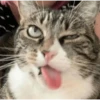
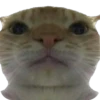
🐱 Goofy Cat
Tabby cat sticks its tongue out with a derpy squint. When you're being silly or just don't care.
-

🐶 Happy Corgi
A fluffy corgi smiles contentedly looking to the side. When you're pleased, proud or just happy.
-

😬 Awkward Michael
Michael Scott makes an awkward grimace of discomfort. When something is cringey or you have no words.
-

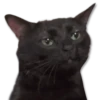
🐱 Judgy Cat
A cat stares with an unimpressed, slightly angry side-eye. When you're done with someone's nonsense.
-

💅 Sassy Side-Eye
Confident woman looks aside with attitude, hand on chest. When you're feeling yourself or unimpressed.
-

👑 Ice Queen Stare
Miranda Priestly gives a piercing, intimidating stare. When you're judging harshly or in charge.
-

🖕 Double Flip Off
Woman in sunglasses smiles while raising both middle fingers. When you want to tell someone off with humor.
-

🤙 Call Me
Girl in a backwards cap makes a cheeky call-me gesture. When you want a callback or feel cheeky.
Download and Install on WhatsApp
The Sticker Maker app is necessary to install this sticker pack on your WhatsApp. If you don't have it, download it from: Google Play Store and App Store. Once you have it on your phone, follow these instructions:
- Download the sticker file we provide below (it has the .wastickers extension). Locate the downloaded file on your mobile and tap it. Your device will ask you which application you want to open it with; select Sticker Maker. The app will automatically recognize the file as a new sticker pack.
- Once you see the pack inside Sticker Maker, just press the button that says "Add to My Library", then "Add to WhatsApp" and that's it! Your new stickers will be available for use in all your WhatsApp conversations.