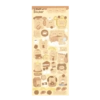
Windah Basudara
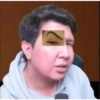
📦 The 'Windah Basudara' pack includes 26 stickers for any conversation. Free download to install on WhatsApp. These stickers contain phrases in Indonesian.
-

TALK JOK
-

0 Derry Spendewa matu aditya Pratama: A Carret Narendra: ngokokok obiezzzz ansu nine: 99 Kyy yeooo0 pllas_chan: hahhahaha Rough: www dini: APALAH Nara Euswandy: moso moso bam Syahriyan Arrozaq: 00000 B
-

-

-

MANA TAHAN
-

-

AKU JG MW
-

IMIPALAK TYE EYE PL DETTSSOKRIPII
-

MENGGODA
-

GRUP DIEM AJA JANGAN DIKASIHTAU BAR
-

absen dulu adik adik ΔΟ X GAMER CE yang tambah tua tambah gila
-

AKU JUGA MW IXA
-

DEF KE-2 SELUNCUR
-

DILUAR NALAR COY
-

INI SESAT YA ADICK ADICK
-

10 ELU OLANG NGENTOT pix2mix.net
-
-

-

-

PASRAH N
-

-

GRUP KAN
-

kan di pix2mix.net
-

90 buah melent cinyyy Sylla: ANG LAIN NAFASANG D rh Yusrolni Pribadi: semangat bon Rijal Tanjung bola SANS 48 28 Fals: bol bong Falvare10: FOOTBALL EDITTY nin: BAGS DRIBBL alfaa oloy SEX7: footboth tra Didit gay
-

will join ing ice D RIBE
-

MNARIK
Download and Install on WhatsApp
The Sticker Maker app is necessary to install this sticker pack on your WhatsApp. If you don't have it, download it from: Google Play Store and App Store. Once you have it on your phone, follow these instructions:
- Download the sticker file we provide below (it has the .wastickers extension). Locate the downloaded file on your mobile and tap it. Your device will ask you which application you want to open it with; select Sticker Maker. The app will automatically recognize the file as a new sticker pack.
- Once you see the pack inside Sticker Maker, just press the button that says "Add to My Library", then "Add to WhatsApp" and that's it! Your new stickers will be available for use in all your WhatsApp conversations.
Installation on WhatsApp with Sticker.ly
An easy way to add this pack is through the Sticker.ly app. If you don't have it yet, download it from: Google Play Store and App Store. Then choose one of these two simple methods:
- With Direct Link: Simply tap this link to the pack 2SHSKO. If you have Sticker.ly installed, you will immediately see the stickers in the app.
- Using the Pack Code: If you prefer, you can copy the "pack code" by tapping here: and paste it into the search bar inside the Sticker.ly app.
Once inside Sticker.ly, confirm the action by tapping "Add to WhatsApp" and the stickers will be instantly sent to your WhatsApp app.
Use on Telegram
For Telegram users, installing a sticker pack is a native and extremely simple process. Just follow this link that will take you to Telegram: stickerly_2SHSKO_by_stickerly_official_bot. When the app opens, you will instantly see the pack and can add it to your library, without the need for third-party apps.