

Anomali text
📦 The 'Anomali text' pack includes 22 stickers ready to share. Free download to install on WhatsApp.
-
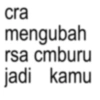
cra mengubah rsa cmburu jadi kamu
-
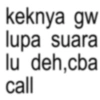
keknya gw lupa suara lu deh,cba call
-
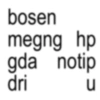
bosen megng hp gda notip dri ս น
-

mles ngetik
-
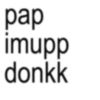
pap imupp donkk
-
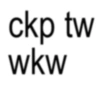
ckp tw wkw
-
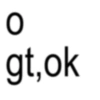
0 gt,ok
-
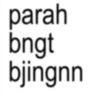
parah bngt bjingnn
-
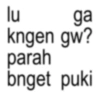
lu ga kngen gw? parah bnget puki
-
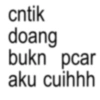
cntik doang bukn pcar aku cuihhh
-
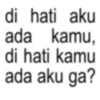
di hati aku kamu, ada di hati kamu ada aku ga?
-
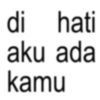
di hati aku ada kamu
-
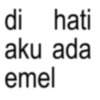
di hati aku ada emel
-
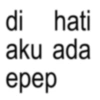
di hati aku ada epep
-
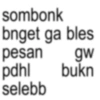
sombonk bnget ga bles pesan gw pdhl bukn selebb
-
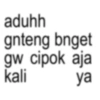
aduhh gnteng bnget gw cipok aja kali ya
-
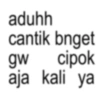
aduhh cantik bnget gw cipok aja kali ya
-
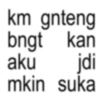
km gnteng bngt kan aku jdi mkin suka
-
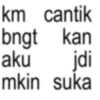
km cantik bngt kan aku jdi mkin suka
-
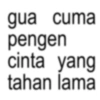
gua cuma pengen cinta yang tahan lama
-
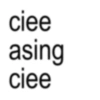
ciee asing ciee
-
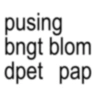
pusing bngt blom dpet pap
Download and Install on WhatsApp
The Sticker Maker app is necessary to install this sticker pack on your WhatsApp. If you don't have it, download it from: Google Play Store and App Store. Once you have it on your phone, follow these instructions:
- Download the sticker file we provide below (it has the .wastickers extension). Locate the downloaded file on your mobile and tap it. Your device will ask you which application you want to open it with; select Sticker Maker. The app will automatically recognize the file as a new sticker pack.
- Once you see the pack inside Sticker Maker, just press the button that says "Add to My Library", then "Add to WhatsApp" and that's it! Your new stickers will be available for use in all your WhatsApp conversations.
Installation on WhatsApp with Sticker.ly
An easy way to add this pack is through the Sticker.ly app. If you don't have it yet, download it from: Google Play Store and App Store. Then choose one of these two simple methods:
- With Direct Link: Simply tap this link to the pack MKB8UL. If you have Sticker.ly installed, you will immediately see the stickers in the app.
- Using the Pack Code: If you prefer, you can copy the "pack code" by tapping here: and paste it into the search bar inside the Sticker.ly app.
Once inside Sticker.ly, confirm the action by tapping "Add to WhatsApp" and the stickers will be instantly sent to your WhatsApp app.























