

Room Chat Karyawan CM
📦 The 'Room Chat Karyawan CM' pack includes 26 stickers easy to install. Free download to install on WhatsApp.
-

DA JOY Benci banget gue lama-lama sosmed kaya bayi ga bisa ditinggal 19:59
-
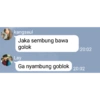
kangseul Jaka sembung bawa golok 20:02 Lay Ga nyambung goblok 20:02
-

Baekhyun Gue kick juga lo
-

kai uw makasih sayang 20:30
-

chanyeol fakyu 20:30
-

kai P for punten 07:35
-

kai Halah bacot 07:50
-

sehun Iya nyonya 07:51
-

Baekhyun mampus
-

JOY Lo aja yg bacot gue nggak. 08:24
-

Baekhyun jijique
-

kangseul Diem lo ah 08:37
-

kai WOW AKU TERKEJOED 20:52
-

kai Halah bucin bilang bucin 21:27
-

chanyeol halah tipu tipu 09:42
-

chanyeol Hmm 10:02
-

chanyeol Lambemu ya 19:29
-
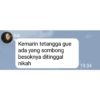
PA kai Kemarin tetangga gue ada yang sombong besoknya ditinggal nikah 19:34
-

Baekhyun Kebalik bangke
-

kai Parah sih parah 19:55
-

kai your secret is safe with me 20:09
-

kai ah masa 20:21
-

yeri nahlo nahlo 20:23
-

kai emang tampang gue ada tampang tukang tipu apa 20:26
-

kangseul Gue block juga lo 20:30
-

Baekhyun BATAS SUCI BUCIN
Download and Install on WhatsApp
The Sticker Maker app is necessary to install this sticker pack on your WhatsApp. If you don't have it, download it from: Google Play Store and App Store. Once you have it on your phone, follow these instructions:
- Download the sticker file we provide below (it has the .wastickers extension). Locate the downloaded file on your mobile and tap it. Your device will ask you which application you want to open it with; select Sticker Maker. The app will automatically recognize the file as a new sticker pack.
- Once you see the pack inside Sticker Maker, just press the button that says "Add to My Library", then "Add to WhatsApp" and that's it! Your new stickers will be available for use in all your WhatsApp conversations.
Installation on WhatsApp with Sticker.ly
An easy way to add this pack is through the Sticker.ly app. If you don't have it yet, download it from: Google Play Store and App Store. Then choose one of these two simple methods:
- With Direct Link: Simply tap this link to the pack E8YRYH. If you have Sticker.ly installed, you will immediately see the stickers in the app.
- Using the Pack Code: If you prefer, you can copy the "pack code" by tapping here: and paste it into the search bar inside the Sticker.ly app.
Once inside Sticker.ly, confirm the action by tapping "Add to WhatsApp" and the stickers will be instantly sent to your WhatsApp app.























