

MARIANO HELLER
📦 The 'MARIANO HELLER ' pack includes 14 stickers for any conversation. Free download to install on WhatsApp.
-

ERLI
-
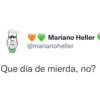
་ Mariano Heller @marianoheller Que día de mierda, no?
-

Mariano Heller @marianoheller No sé bien qué está pasando pero les puedo garantizar que va a salir mal.
-
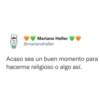
Mariano Heller @marianoheller Acaso sea un buen momento para hacerme religioso o algo así.
-
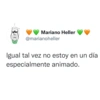
Mariano Heller @marianoheller Igual tal vez no estoy en un día especialmente animado.
-
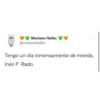
Mariano Heller @marianoheller ... Tengo un día inmensamente de mierda. Inés P. Rado.
-
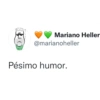
Mariano Heller @marianoheller Pésimo humor.
-
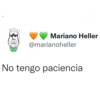
Mariano Heller @marianoheller No tengo paciencia
-

Mariano Heller @marianoheller NUNCA VAMOS A SER FELICES
-

Mariano Heller @marianoheller Hace mucho que no se me pegaba ningún idiota. Un poco extrañaba.
-
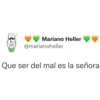
་ ་ ། ་ ་ Mariano Heller @marianoheller Que ser del mal es la señora
-

Mariano Heller @marianoheller Y cuando uno creía que la cosa no podía ser más vergonzosa...
-

OMITIR INTRO... YA PIDE EL MALDITO FAVOR
-

graphic design is my passion.
Download and Install on WhatsApp
The Sticker Maker app is necessary to install this sticker pack on your WhatsApp. If you don't have it, download it from: Google Play Store and App Store. Once you have it on your phone, follow these instructions:
- Download the sticker file we provide below (it has the .wastickers extension). Locate the downloaded file on your mobile and tap it. Your device will ask you which application you want to open it with; select Sticker Maker. The app will automatically recognize the file as a new sticker pack.
- Once you see the pack inside Sticker Maker, just press the button that says "Add to My Library", then "Add to WhatsApp" and that's it! Your new stickers will be available for use in all your WhatsApp conversations.
Installation on WhatsApp with Sticker.ly
An easy way to add this pack is through the Sticker.ly app. If you don't have it yet, download it from: Google Play Store and App Store. Then choose one of these two simple methods:
- With Direct Link: Simply tap this link to the pack QV1QIO. If you have Sticker.ly installed, you will immediately see the stickers in the app.
- Using the Pack Code: If you prefer, you can copy the "pack code" by tapping here: and paste it into the search bar inside the Sticker.ly app.
Once inside Sticker.ly, confirm the action by tapping "Add to WhatsApp" and the stickers will be instantly sent to your WhatsApp app.























