

MANDA O PIX💠
📦 The 'MANDA O PIX💠' pack includes 20 stickers for any conversation. Free download to install on WhatsApp. These stickers contain phrases in Portuguese.
-

Me dá um pix
-

Pix recebido Com sucesso
-

vc foi escolhido p me fazer um PIX
-

Me faz um pix deixa de ser ruim
-

ос .... Olá, Yuri Barros Conta R$ Liso e devendo > Q 0 Área Pix Pagar Transferir Depositar Recarga celula
-

ACEITAS PIX?
-

MUITA CONVERSA E POUCO pix
-

Sempre uma opinião Nunca um Pix
-

PIX na mão, calcinha no chão
-

parem de usar pix PRECISO encontrar dinheiro no chão essa semana
-

AVISO FUI DORMIR Só me chame Se for me dar Dinheiro
-

@um surto 60 MOUJOL sempre uma crítica, nunca um pix
-

faz o pix
-
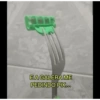
EA GALERA ME PEDINDO PIX...
-

Fuzil TRADICAO toma aqui teu PIX
-

TO ALUGANDO A MENTE VAZIA PRO DIABO FAZER OFICINA E NEGO VEM PEDIR PIX
-

Ministério do Trabalho e Emprego CARTEIRA DE TRABALHO E PREVIDÊNCIA SOCIAL aqui seu pix
-

TÔ PEGANDO A VIZINHA PRA ECONOMIZAR A ESPOSA E NEGO VEM PEDIR PIX
-

pix da silva jr +8 全 lovecell.com.br
-

Pato DO PIX Tabela Trading $200 Retorno 2000 $250 Retorno2500 $300 Retorno3000 $350 Retorno 3500 $400 Retorno 4000 $500 Retorno 5000 Seguro Prático Rápido EM 4K HDR funny.co
Download and Install on WhatsApp
The Sticker Maker app is necessary to install this sticker pack on your WhatsApp. If you don't have it, download it from: Google Play Store and App Store. Once you have it on your phone, follow these instructions:
- Download the sticker file we provide below (it has the .wastickers extension). Locate the downloaded file on your mobile and tap it. Your device will ask you which application you want to open it with; select Sticker Maker. The app will automatically recognize the file as a new sticker pack.
- Once you see the pack inside Sticker Maker, just press the button that says "Add to My Library", then "Add to WhatsApp" and that's it! Your new stickers will be available for use in all your WhatsApp conversations.
Installation on WhatsApp with Sticker.ly
An easy way to add this pack is through the Sticker.ly app. If you don't have it yet, download it from: Google Play Store and App Store. Then choose one of these two simple methods:
- With Direct Link: Simply tap this link to the pack FZJ4FQ. If you have Sticker.ly installed, you will immediately see the stickers in the app.
- Using the Pack Code: If you prefer, you can copy the "pack code" by tapping here: and paste it into the search bar inside the Sticker.ly app.
Once inside Sticker.ly, confirm the action by tapping "Add to WhatsApp" and the stickers will be instantly sent to your WhatsApp app.
Use on Telegram
For Telegram users, installing a sticker pack is a native and extremely simple process. Just follow this link that will take you to Telegram: stickerly_FZJ4FQ_by_stickerly_official_bot. When the app opens, you will instantly see the pack and can add it to your library, without the need for third-party apps.























