

Meme kata-kata
📦 The 'Meme kata-kata ' pack includes 30 stickers for daily chats. Free download to install on WhatsApp.
-
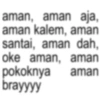
aman, aman aja, aman kalem, aman santai, aman dah, oke aman, aman pokoknya aman brayyyy
-

klo g chat ak, buang aj ntuh hp
-

"yang semangat dong" "yang semangat dong" maneh we sendiri. aing mah cape. pengen sare. jangan nyuruh nyuruh aing semangat.
-
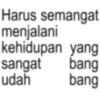
Harus semangat menjalani kehidupan yang sangat udah bang bang
-
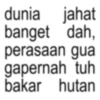
dunia jahat banget dah, perasaan gua gapernah tuh bakar hutan
-
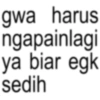
gwa harus ngapainlagi ya biar egk sedih
-
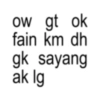
ow gt ok fain km dh gk sayang ak lg
-

woy jadi orang jangan semena mena ee, waka waka ee, samina mina zangalewa this time to afrika
-
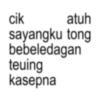
cik atuh sayangku tong bebeledagan teuing kasepna
-
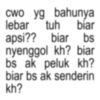
cwo yg bahunya lebar tuh biar apsi?? biar bs nyenggol kh? biar bs ak peluk kh? biar bs ak senderin kh?
-
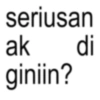
seriusan ak giniin? di
-
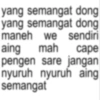
yang semangat dong yang semangat dong maneh we sendiri aing mah cape pengen sare jangan nyuruh nyuruh aing semangat
-
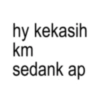
hy kekasih km sedank ap
-
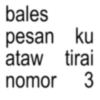
bales pesan ku ataw tirai nomor 3
-

satu kata untuk hari ini, KONTOLLL
-
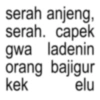
serah anjeng serah. capek gwa ladenin orang bajigur kek elu
-
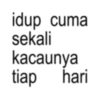
idup cuma sekali kacaunya tiap hari
-
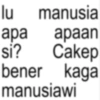
lu manusia apa apaan si? Cakep bener kaga manusiawi
-
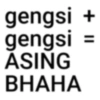
gengsi + gengsi = ASING BHAHA
-
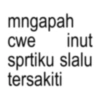
mngapah cwe inut sprtiku slalu tersakiti
-
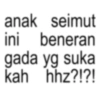
anak seimut ini beneran gada yg suka kah hhz?!?!
-
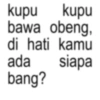
kupu kupu bawa obeng, di hati kamu ada bang? siapa
-
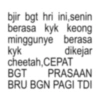
bjir bgt hri ini,senin berasa kyk keong minggunye berasa kyk dikejar cheetah, CEPAT BGT PRASAAN BRU BGN PAGI TDI
-
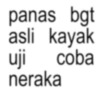
panas bgt asli kayak uji coba neraka
-
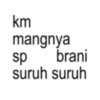
km mangnya sp brani suruh suruh
-

ini apasih mending tim bubar ajalah
-
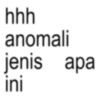
hhh anomali jenis apa lini
-
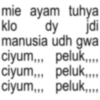
mie ayam tuhya klo dy jdi manusia udh gwa ciyum,,, peluk,,,, ciyum,,, peluk,... ciyum,,, peluk,,,,
-
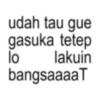
udah tau gue gasuka tetep lo lakuin bangsaaaaT
-

beliau ini
Download and Install on WhatsApp
The Sticker Maker app is necessary to install this sticker pack on your WhatsApp. If you don't have it, download it from: Google Play Store and App Store. Once you have it on your phone, follow these instructions:
- Download the sticker file we provide below (it has the .wastickers extension). Locate the downloaded file on your mobile and tap it. Your device will ask you which application you want to open it with; select Sticker Maker. The app will automatically recognize the file as a new sticker pack.
- Once you see the pack inside Sticker Maker, just press the button that says "Add to My Library", then "Add to WhatsApp" and that's it! Your new stickers will be available for use in all your WhatsApp conversations.
Installation on WhatsApp with Sticker.ly
An easy way to add this pack is through the Sticker.ly app. If you don't have it yet, download it from: Google Play Store and App Store. Then choose one of these two simple methods:
- With Direct Link: Simply tap this link to the pack C99C13. If you have Sticker.ly installed, you will immediately see the stickers in the app.
- Using the Pack Code: If you prefer, you can copy the "pack code" by tapping here: and paste it into the search bar inside the Sticker.ly app.
Once inside Sticker.ly, confirm the action by tapping "Add to WhatsApp" and the stickers will be instantly sent to your WhatsApp app.
Use on Telegram
For Telegram users, installing a sticker pack is a native and extremely simple process. Just follow this link that will take you to Telegram: stickerly_C99C13_by_stickerly_official_bot. When the app opens, you will instantly see the pack and can add it to your library, without the need for third-party apps.























