

UPC mizo 1
📦 The 'UPC mizo 1' pack includes 30 stickers you'll love. Free download to install on WhatsApp.
-

Let's khum var together awkhe
-

UPC kha chu lo ngawi se
-
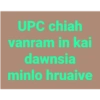
UPC chiah vanram in kai dawnsia minlo hruaive
-

UPC hi insect killer in kap rêm vek ang u
-

Ka mumang ah UPC kalo ni palh a.. Depressed nghal char²
-

UPC ni tura ka indah chhin ringawt pon rapthlak ka ti ngawih²
-

UPC thusawi ah ka zâm lovang
-

Lawkawru UPC rel ang u
-

UPC rél leh ghal char char ang
-

'ISUA HI PATHIAN ANI' is Dâwt
-
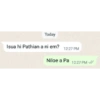
Today Isua hi Pathian a ni em? 12:27 PM Niloe a Pa 12:27 PM
-

Who we are UPC What do we I want to be Presbyterian
-

Who we are UPC also known as Vanram kai tur
-

Tunah UPC ilo hnim phâm ang u
-

Don't UPC me
-

i love the way your UPC
-

i just wanna be Presbyterian Arpa than UPC Pastor
-
UPC ah chang daih rawh +
-
UPC tih awmtawk
-

I will forgive you cuz you are UPC
-

No chance for UPC
-

UPC isn't able to feel like laughing
-

i head kha Permanent White la nihchu
-

'UPC' pawh ka ti phallo C-te kati top
-

UPC hi barakhaih thut ila Seventh Day ah an chang thei
-

UPC ini tih hriat miahloh
-

Khawvel tawp dawna UPC lo la nih techu a
-
UPC pawh pianthar hun viau tawh
-

UPC naupang nih in zak em?
-

Zaklo, nitinin kan nghet tual²
Download and Install on WhatsApp
The Sticker Maker app is necessary to install this sticker pack on your WhatsApp. If you don't have it, download it from: Google Play Store and App Store. Once you have it on your phone, follow these instructions:
- Download the sticker file we provide below (it has the .wastickers extension). Locate the downloaded file on your mobile and tap it. Your device will ask you which application you want to open it with; select Sticker Maker. The app will automatically recognize the file as a new sticker pack.
- Once you see the pack inside Sticker Maker, just press the button that says "Add to My Library", then "Add to WhatsApp" and that's it! Your new stickers will be available for use in all your WhatsApp conversations.
Installation on WhatsApp with Sticker.ly
An easy way to add this pack is through the Sticker.ly app. If you don't have it yet, download it from: Google Play Store and App Store. Then choose one of these two simple methods:
- With Direct Link: Simply tap this link to the pack MD5YH5. If you have Sticker.ly installed, you will immediately see the stickers in the app.
- Using the Pack Code: If you prefer, you can copy the "pack code" by tapping here: and paste it into the search bar inside the Sticker.ly app.
Once inside Sticker.ly, confirm the action by tapping "Add to WhatsApp" and the stickers will be instantly sent to your WhatsApp app.
Use on Telegram
For Telegram users, installing a sticker pack is a native and extremely simple process. Just follow this link that will take you to Telegram: stickerly_MD5YH5_by_stickerly_official_bot. When the app opens, you will instantly see the pack and can add it to your library, without the need for third-party apps.























