

Goku grosero
📦 The 'Goku grosero' pack includes 29 stickers must-have stickers. Free download to install on WhatsApp. These stickers contain phrases in Spanish.
-

MENTIROSO
-

MONDÁK ME Sálganse del país, quiero estar solo
-

No quieres usar faldita tbm?
-

debí suponerlo
-

Ya mi que carajo me importa
-

QUE MIERDA QUIERES nat
-

YA Y?
-

Elk lo dice lo es
-

la puta madre
-

Y PORQUE MEJOR NO ME CHUPAS LA POLLA
-

Que alguien le arroje un pene Memasik
-

cerra èl orto negro de mierda
-

Y PORQUE MEJOR NO ME CHUPAS LA POLLA
-

Ta bien
-

No se peleen por mi M BA
-

Que quieren Pobres
-

-

SPIDER MIMOS Mejor ponte a estudiar
-

MEME- Al chile si eres Capaz we molotp28
-

CUAL GRACIAS MOND ANIME ENCUERATE
-

MOND ANIME saludos cordiales
-

alo
-
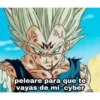
peleare para que te vayas de mi cyber
-

Hoy es el día en el que te saco del Ciber
-

No te pajeés en el ciber
-

Bueno ya MOND ANIME Se acabó la guachafita
-

niño pendejo otra vez con la broma de que te imprima el mapa de paraguay
-

-

Download and Install on WhatsApp
The Sticker Maker app is necessary to install this sticker pack on your WhatsApp. If you don't have it, download it from: Google Play Store and App Store. Once you have it on your phone, follow these instructions:
- Download the sticker file we provide below (it has the .wastickers extension). Locate the downloaded file on your mobile and tap it. Your device will ask you which application you want to open it with; select Sticker Maker. The app will automatically recognize the file as a new sticker pack.
- Once you see the pack inside Sticker Maker, just press the button that says "Add to My Library", then "Add to WhatsApp" and that's it! Your new stickers will be available for use in all your WhatsApp conversations.
Installation on WhatsApp with Sticker.ly
An easy way to add this pack is through the Sticker.ly app. If you don't have it yet, download it from: Google Play Store and App Store. Then choose one of these two simple methods:
- With Direct Link: Simply tap this link to the pack BM550U. If you have Sticker.ly installed, you will immediately see the stickers in the app.
- Using the Pack Code: If you prefer, you can copy the "pack code" by tapping here: and paste it into the search bar inside the Sticker.ly app.
Once inside Sticker.ly, confirm the action by tapping "Add to WhatsApp" and the stickers will be instantly sent to your WhatsApp app.























