Copa América Goal
📦 Celebrate every Copa América goal with national flags. Cheer Bolivia, Brazil, Argentina and more as they score. Use in live match chats when a team scores. Show your colors and shout GOL while following Copa América. The 'Copa América Goal' pack includes 12 stickers high quality. Free download to install on WhatsApp. These stickers contain phrases in Spanish.
-

⚽ Bolivia Goal
Soccer ball with Bolivia’s flag between red G and green L. Send when Bolivia scores a goal.
-

⚽ Uruguay Goal
Soccer ball with Uruguay’s flag between white G and blue L. Send when Uruguay scores a goal.
-

⚽ Brazil Goal
Brazil’s flag as the O in GOL, in yellow and blue letters. Send when Brazil scores a goal.
-

⚽ Chile Goal
Soccer ball with Chile’s flag between blue G and white L. Send when Chile scores a goal.
-

⚽ Argentina Goal
Light-blue GOL over a painted stroke of Argentina’s flag. Send when Argentina scores a goal.
-

⚽ Ecuador Goal
Ecuador’s emblem badge as the O in yellow G and red L. Send when Ecuador scores a goal.
-

⚽ Colombia Goal
GOL in yellow, blue and red over Colombia’s flag stroke. Send when Colombia scores a goal.
-

⚽ Qatar Goal
Sphere with Qatar’s flag between white G and purple L. Send when Qatar scores a goal.
-
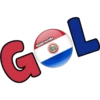
⚽ Paraguay Goal
Paraguay’s flag badge as the O between red G and blue L. Send when Paraguay scores a goal.
-

⚽ Peru Goal
Peru’s flag badge as the O between red G and white L. Send when Peru scores a goal.
-

⚽ Venezuela Goal
Soccer ball with Venezuela’s flag, yellow G and red L. Send when Venezuela scores a goal.
-

⚽ Japan Goal
Japan’s red sun as the O in outlined white GOL letters. Send when Japan scores a goal.
Download and Install on WhatsApp
The Sticker Maker app is necessary to install this sticker pack on your WhatsApp. If you don't have it, download it from: Google Play Store and App Store. Once you have it on your phone, follow these instructions:
- Download the sticker file we provide below (it has the .wastickers extension). Locate the downloaded file on your mobile and tap it. Your device will ask you which application you want to open it with; select Sticker Maker. The app will automatically recognize the file as a new sticker pack.
- Once you see the pack inside Sticker Maker, just press the button that says "Add to My Library", then "Add to WhatsApp" and that's it! Your new stickers will be available for use in all your WhatsApp conversations.