

Anomali
📦 The 'Anomali' pack includes 17 stickers with great variety. Free download to install on WhatsApp. These stickers contain phrases in Indonesian.
-

perkara apa yang kau hapus hah itu
-
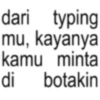
dari typing mu, kayanya kamu minta di botakin
-
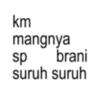
km mangnya sp brani suruh suruh
-

kamu kalo aku pukul marah gk
-

kutu kupret
-

KEPALA BAPAK KAU
-

bukan temen gue sumpah
-

gua tampar mati lo
-

brisik lu tua
-
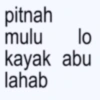
lo pitnah mulu kayak abu lahab
-

do re mi fa so toy bet sih lu
-

dan yap dan yap dan yap dan yap dan yap dan yap
-
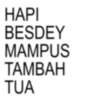
HAPI BESDEY MAMPUS TAMBAH TUA
-
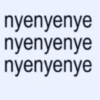
nyenyenye nyenyenye nyenyenye
-
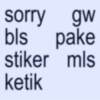
sorry gw bls pake stiker mls ketik
-

queen never cry
-

esok je la
Download and Install on WhatsApp
The Sticker Maker app is necessary to install this sticker pack on your WhatsApp. If you don't have it, download it from: Google Play Store and App Store. Once you have it on your phone, follow these instructions:
- Download the sticker file we provide below (it has the .wastickers extension). Locate the downloaded file on your mobile and tap it. Your device will ask you which application you want to open it with; select Sticker Maker. The app will automatically recognize the file as a new sticker pack.
- Once you see the pack inside Sticker Maker, just press the button that says "Add to My Library", then "Add to WhatsApp" and that's it! Your new stickers will be available for use in all your WhatsApp conversations.
Installation on WhatsApp with Sticker.ly
An easy way to add this pack is through the Sticker.ly app. If you don't have it yet, download it from: Google Play Store and App Store. Then choose one of these two simple methods:
- With Direct Link: Simply tap this link to the pack 3VKNRZ. If you have Sticker.ly installed, you will immediately see the stickers in the app.
- Using the Pack Code: If you prefer, you can copy the "pack code" by tapping here: and paste it into the search bar inside the Sticker.ly app.
Once inside Sticker.ly, confirm the action by tapping "Add to WhatsApp" and the stickers will be instantly sent to your WhatsApp app.
Use on Telegram
For Telegram users, installing a sticker pack is a native and extremely simple process. Just follow this link that will take you to Telegram: stickerly_3VKNRZ_by_stickerly_official_bot. When the app opens, you will instantly see the pack and can add it to your library, without the need for third-party apps.























