

STIKER KATA2 LUCU
📦 The 'STIKER KATA2 LUCU' pack includes 15 stickers fun and expressive. Free download to install on WhatsApp.
-
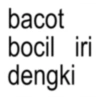
bacot bocil iri dengki
-
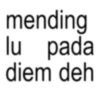
mending lu pada diem deh
-

kamu lagi sibuk ya? la, aku setiap hari sibuk bernapas Siisma Stiawaty,
-

Absen siapa aja yang meninggal kena jamsker tadi
-

< Notes Diam bukan berarti lemah, tapi lapar. Done TKD
-

< Notes Aku orang yang selalu ada, kalau ga ada berarti ketiduran. Done TKD
-

< Notes Kenyang banget nelen sabar. Done TKD
-

< Notes Done Mau sedih tapi gue keren banget, gajadi ah. TKD
-

< Notes Sebenernya gw bisa lawan rasa males gw tapi males aja. Done TKD
-
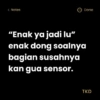
< Notes "Enak ya jadi lu" enak dong soalnya bagian susahnya kan gua sensor. Done TKD
-

Ngomong sendiri, ngeluh sendiri, nyemangatin sendiri. Tapi gapapa, aku sayang aku.
-

< Notes Done Cape banget tiba tiba nangis, tiba tiba ketawa, gak sekalian aja tiba tiba kaya. TKD
-

< Notes Done Aku aslinya berantakan, cuma ketutup sama tingkah aneh aku aja. TKD
-

< Notes Done Prinsipku sekarang: Yaudah, gapapa, bodoamat, gamau ribet. TKD
-

<Notes Done Terlihat ceria padahal hampir gila. TKD
Download and Install on WhatsApp
The Sticker Maker app is necessary to install this sticker pack on your WhatsApp. If you don't have it, download it from: Google Play Store and App Store. Once you have it on your phone, follow these instructions:
- Download the sticker file we provide below (it has the .wastickers extension). Locate the downloaded file on your mobile and tap it. Your device will ask you which application you want to open it with; select Sticker Maker. The app will automatically recognize the file as a new sticker pack.
- Once you see the pack inside Sticker Maker, just press the button that says "Add to My Library", then "Add to WhatsApp" and that's it! Your new stickers will be available for use in all your WhatsApp conversations.
Installation on WhatsApp with Sticker.ly
An easy way to add this pack is through the Sticker.ly app. If you don't have it yet, download it from: Google Play Store and App Store. Then choose one of these two simple methods:
- With Direct Link: Simply tap this link to the pack D3HPJB. If you have Sticker.ly installed, you will immediately see the stickers in the app.
- Using the Pack Code: If you prefer, you can copy the "pack code" by tapping here: and paste it into the search bar inside the Sticker.ly app.
Once inside Sticker.ly, confirm the action by tapping "Add to WhatsApp" and the stickers will be instantly sent to your WhatsApp app.
Use on Telegram
For Telegram users, installing a sticker pack is a native and extremely simple process. Just follow this link that will take you to Telegram: stickerly_D3HPJB_by_stickerly_official_bot. When the app opens, you will instantly see the pack and can add it to your library, without the need for third-party apps.























