

Stiker anomali 5
📦 The 'Stiker anomali 5' pack includes 30 stickers you'll love. Free download to install on WhatsApp.
-
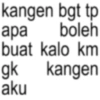
kangen bgt tp apa boleh buat kalo km gk kangen aku
-
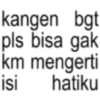
kangen bgt pls bisa gak km mengerti isi hatiku
-
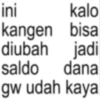
ini kalo kangen bisa diubah jadi saldo dana gw udah kaya
-
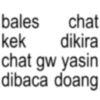
bales chat kek dikira chat gw yasin dibaca doang
-

KALAU SIBUK YA NGOMONG AJA ANJENG
-
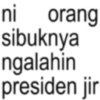
ni orang sibuknya ngalahin presiden jir
-
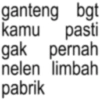
ganteng bgt kamu pasti gak pernah nelen limbah pabrik
-

yaelah lu lagi lu lagi
-
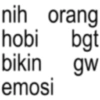
nih orang hobi bgt bikin gw emosi
-
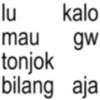
lu kalo mau gw tonjok bilang aja
-
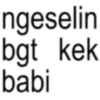
ngeselin bgt kek babi
-
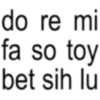
do re mi fa so toy bet sih lu
-
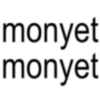
monyet monyet
-
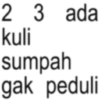
23 ada kuli sumpah gak peduli
-
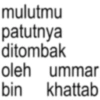
mulutmu patutnya ditombak oleh ummar bin khattab
-
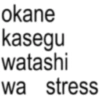
okane kasegu watashi wa stress
-

okane kasegu watashi wa lah dalah
-
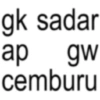
gk sadar ap gw cemburu
-

jangan jangan gw dipelet
-
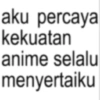
aku percaya kekuatan anime selalu menyertaiku
-
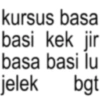
kursus basa basi kek jir basa basi lu jelek bgt
-
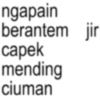
ngapain berantem jir capek mending ciuman
-

kan
-
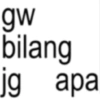
gw bilang jg apa
-

maas maf
-

cie
-

ya
-

sip
-

knp sih
-

ok maf
Download and Install on WhatsApp
The Sticker Maker app is necessary to install this sticker pack on your WhatsApp. If you don't have it, download it from: Google Play Store and App Store. Once you have it on your phone, follow these instructions:
- Download the sticker file we provide below (it has the .wastickers extension). Locate the downloaded file on your mobile and tap it. Your device will ask you which application you want to open it with; select Sticker Maker. The app will automatically recognize the file as a new sticker pack.
- Once you see the pack inside Sticker Maker, just press the button that says "Add to My Library", then "Add to WhatsApp" and that's it! Your new stickers will be available for use in all your WhatsApp conversations.
Installation on WhatsApp with Sticker.ly
An easy way to add this pack is through the Sticker.ly app. If you don't have it yet, download it from: Google Play Store and App Store. Then choose one of these two simple methods:
- With Direct Link: Simply tap this link to the pack WFEDYU. If you have Sticker.ly installed, you will immediately see the stickers in the app.
- Using the Pack Code: If you prefer, you can copy the "pack code" by tapping here: and paste it into the search bar inside the Sticker.ly app.
Once inside Sticker.ly, confirm the action by tapping "Add to WhatsApp" and the stickers will be instantly sent to your WhatsApp app.
Use on Telegram
For Telegram users, installing a sticker pack is a native and extremely simple process. Just follow this link that will take you to Telegram: stickerly_WFEDYU_by_stickerly_official_bot. When the app opens, you will instantly see the pack and can add it to your library, without the need for third-party apps.























