

Kata kata
📦 The 'Kata kata' pack includes 30 stickers with great variety. Free download to install on WhatsApp. These stickers contain phrases in Indonesian.
-
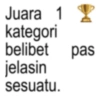
Juara 1 1 kategori belibet pas jelasin sesuatu.
-
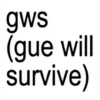
gws (gue will survive)
-
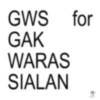
GWS for GAK WARAS SIALAN
-
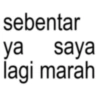
sebentar ya saya lagi marah
-
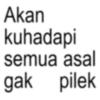
Akan kuhadapi semua asal gak pilek
-

so fun,,, fun take
-
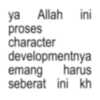
ya Allah ini proses character developmentnya emang harus seberat ini kh
-
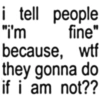
i tell people "I'm fine" because, wtf they gonna do if i am not??
-
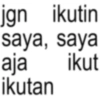
jgn ikutin saya, saya ikut aja ikutan
-
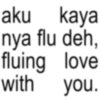
aku kaya nya flu deh, fluing love with you.
-
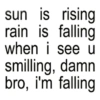
sun is rising rain is falling when i see u smilling, damn bro, i'm falling
-
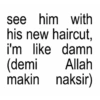
see him with his new haircut, i'm like damn (demi Allah makin naksir)
-
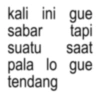
kali ini gue sabar tapi suatu saat pala lo gue tendang
-

HTS Harus Tetap Sholat
-
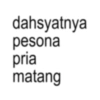
dahsyatnya pesona pria matang
-
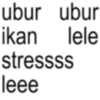
ubur ubur ikan lele stressss leee
-
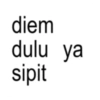
diem dulu ya sipit
-
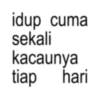
idup cuma sekali kacaunya tiap hari
-
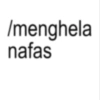
/menghela nafas
-
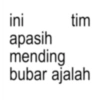
ini apasih mending tim bubar ajalah
-
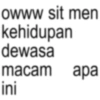
owww sit men kehidupan dewasa macam apa ini
-
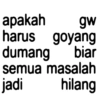
apakah gw harus goyang dumang biar semua masalah jadi hilang
-
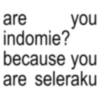
are indomie? you because you are seleraku
-
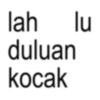
lah lu duluan kocak
-
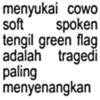
menyukai cowo soft spoken tengil green flag adalah tragedi paling menyenangkan
-
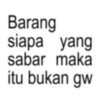
Barang siapa yang sabar maka itu bukan gw
-

anjay kata kata hari ini
-

seberat apapun masalah mu, kasian ya kamu
-
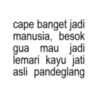
cape banget jadi manusia, besok gua mau jadi lemari kayu jati asli pandeglang
-
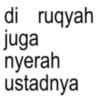
di ruqyah juga nyerah ustadnya
Download and Install on WhatsApp
The Sticker Maker app is necessary to install this sticker pack on your WhatsApp. If you don't have it, download it from: Google Play Store and App Store. Once you have it on your phone, follow these instructions:
- Download the sticker file we provide below (it has the .wastickers extension). Locate the downloaded file on your mobile and tap it. Your device will ask you which application you want to open it with; select Sticker Maker. The app will automatically recognize the file as a new sticker pack.
- Once you see the pack inside Sticker Maker, just press the button that says "Add to My Library", then "Add to WhatsApp" and that's it! Your new stickers will be available for use in all your WhatsApp conversations.
Installation on WhatsApp with Sticker.ly
An easy way to add this pack is through the Sticker.ly app. If you don't have it yet, download it from: Google Play Store and App Store. Then choose one of these two simple methods:
- With Direct Link: Simply tap this link to the pack VBN74R. If you have Sticker.ly installed, you will immediately see the stickers in the app.
- Using the Pack Code: If you prefer, you can copy the "pack code" by tapping here: and paste it into the search bar inside the Sticker.ly app.
Once inside Sticker.ly, confirm the action by tapping "Add to WhatsApp" and the stickers will be instantly sent to your WhatsApp app.
Use on Telegram
For Telegram users, installing a sticker pack is a native and extremely simple process. Just follow this link that will take you to Telegram: stickerly_VBN74R_by_stickerly_official_bot. When the app opens, you will instantly see the pack and can add it to your library, without the need for third-party apps.























