Bollywood song & Shayari
📦 The 'Bollywood song & Shayari' pack includes 17 stickers for daily chats. Free download to install on WhatsApp.
-

Jigar pe mat ja Trigger daba dungi
-

Ye hi umar hai karle Galti se mistake
-

Aaj ki Party Mere Tsraf se
-

Tera yaar hoon main Tera yaar hoon main
-

Tumhara yaad aana v kamal Hota Hai !
-
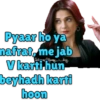
Pyaar ho ya nafrat, me jab ✓ Seenry diary V karti hun beyhadh karti hoon
-

Main karoon toh saála Character dheela hai...
-

Kuch zakhmon ke Karz lafzon se adaa nahin hote.
-

Tu kheech meri photo Tu kheech meri photo piya 1127
-

LA Chalo ishq ladaye Chalo ishq ladaye
-

THE Boro Loker Betilo Lomba Lomba Chul.. Amon Matha Bendhe Debo Lal Genda Ful.!
-

DJ wale babu mera gaana chala do Gaana chala do...
-

Karenge daaru party...
-

Swag se karenge sabka Swagat!
-

Agar Yeh Tujhe Pyaar Karti Hai Toh Yeh Palat Ke Dekhegi Palat palat!
-

Dil par na lo unki baate Jo dil me rehte hai. stajeenny
-
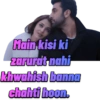
Main kisi ki zarurat nahi khwahish banna chahti hoon.
Download and Install on WhatsApp
The Sticker Maker app is necessary to install this sticker pack on your WhatsApp. If you don't have it, download it from: Google Play Store and App Store. Once you have it on your phone, follow these instructions:
- Download the sticker file we provide below (it has the .wastickers extension). Locate the downloaded file on your mobile and tap it. Your device will ask you which application you want to open it with; select Sticker Maker. The app will automatically recognize the file as a new sticker pack.
- Once you see the pack inside Sticker Maker, just press the button that says "Add to My Library", then "Add to WhatsApp" and that's it! Your new stickers will be available for use in all your WhatsApp conversations.
Installation on WhatsApp with Sticker.ly
An easy way to add this pack is through the Sticker.ly app. If you don't have it yet, download it from: Google Play Store and App Store. Then choose one of these two simple methods:
- With Direct Link: Simply tap this link to the pack DJZY7F. If you have Sticker.ly installed, you will immediately see the stickers in the app.
- Using the Pack Code: If you prefer, you can copy the "pack code" by tapping here: and paste it into the search bar inside the Sticker.ly app.
Once inside Sticker.ly, confirm the action by tapping "Add to WhatsApp" and the stickers will be instantly sent to your WhatsApp app.