

Packing kardus
📦 The 'Packing kardus' pack includes 27 stickers must-have stickers. Free download to install on WhatsApp.
-

Just for you
-
-

-

-

-
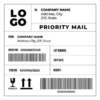
LO GO TI: COMPANY NAME Address, City ZIP, State PRIORITY MAIL FROM: COMPANY NAME Address, City, ZIP, State ORDER NR: 000000/2020 LOT NUMBER: SHIP DATE ITEM NR: 000000/2020 WEIGHT: FRAGILE 00000000000
-
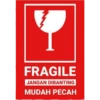
FRAGILE JANGAN DIBANTING MUDAH PECAH
-

Thank You
-

-

ILE FRAGILE FR TH CARE HANDLE WITH CARE HA
-
Taruna the best tape ape Taruna tape Taruna tape Taruna tape Tarung tape Taruna tape Taruna: Taruna tape -
-

FRAGILE HANDLE WITH CARE THANK YOU tt FRAGILE KEEP DRY DO NOT TRAMPLE UPWARD
-

wwww
-
-
-

-
-
-

-
-

-

Thank You FOR YOUR SUPPORT
-
-
-
prime M2 Wow. How that's a gift d ime Ad ашно
-
Mercano Envios Flex ANLLO ESTE INDEPENDENCIA
-
ยา
Download and Install on WhatsApp
The Sticker Maker app is necessary to install this sticker pack on your WhatsApp. If you don't have it, download it from: Google Play Store and App Store. Once you have it on your phone, follow these instructions:
- Download the sticker file we provide below (it has the .wastickers extension). Locate the downloaded file on your mobile and tap it. Your device will ask you which application you want to open it with; select Sticker Maker. The app will automatically recognize the file as a new sticker pack.
- Once you see the pack inside Sticker Maker, just press the button that says "Add to My Library", then "Add to WhatsApp" and that's it! Your new stickers will be available for use in all your WhatsApp conversations.
Installation on WhatsApp with Sticker.ly
An easy way to add this pack is through the Sticker.ly app. If you don't have it yet, download it from: Google Play Store and App Store. Then choose one of these two simple methods:
- With Direct Link: Simply tap this link to the pack YDKR9S. If you have Sticker.ly installed, you will immediately see the stickers in the app.
- Using the Pack Code: If you prefer, you can copy the "pack code" by tapping here: and paste it into the search bar inside the Sticker.ly app.
Once inside Sticker.ly, confirm the action by tapping "Add to WhatsApp" and the stickers will be instantly sent to your WhatsApp app.
Use on Telegram
For Telegram users, installing a sticker pack is a native and extremely simple process. Just follow this link that will take you to Telegram: stickerly_YDKR9S_by_stickerly_official_bot. When the app opens, you will instantly see the pack and can add it to your library, without the need for third-party apps.























