

Mazorca
📦 The 'Mazorca' pack includes 30 stickers easy to install. Free download to install on WhatsApp. These stickers contain phrases in Spanish.
-
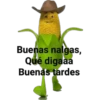
Buenas nalgas, Qué digaaa Buenas tardes
-
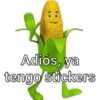
Adiós, ya tengo stickers
-

a sus ordenes webuda
-
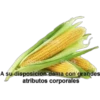
A su disposicion dama con grandes atributos corporales
-
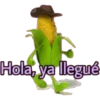
Hola, ya llegué
-

Sacate una chichi, yo me imagino la otra
-
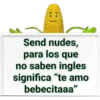
Send nudes, para los que no saben ingles significa "te amo bebecitaaa"
-

Para sacarme la vergaaa y que me de unas mamadas
-
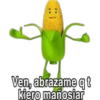
Ven, abrazame qt kiero mañosiar
-
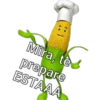
Mira, te prepare ESTAAA
-
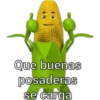
Que buenas posaderas se carga
-
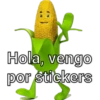
Hola, vengo por stickers
-

a tus ordenes pitudo
-

Estoy dispuesto seguir sus ordenes, srta con senos acorde mi gusto
-
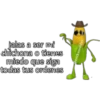
jalas a ser mi chichona o tienes miedo que siga todas tus ordenes erickxsvald
-

Según mis calculos ud me la PELA
-
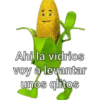
Ahi la vidrios voy a levantar unos qlitos
-

Adiós, ya me voy
-
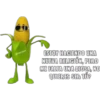
@merysxn ESTOY HACIENDO UNA NUEVA RELIGIÓN, PERO ME FALTA UNA DIOSA, NO QUIERES SER TÚ?
-

amiga date cuenta deja a ese joto y vente pa ca seras mi chichona consentida R
-

¿Quieres que cocine unos besotes bien tronados?
-
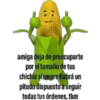
amige deja de preocuparte por el tamaño de tus chichis siempre habrá un pitudo dispuesto a seguir todas tus órdenes, tkm
-
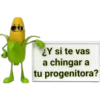
¿Y si te vas a chingar a tu progenitora?
-
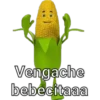
Vengache bebecitaaa
-

Métetelo por donde te quepa
-
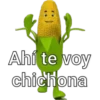
Ahí te voy chichona
-

ckfly Awantaaa voy a preparte unas ricas MAMADAS
-

Estoy triste mandame tus nudes
-

Así de grandes son mis ganas de estar a tus ordenes
-

Gane en master chef preparandote unas mamadas
Download and Install on WhatsApp
The Sticker Maker app is necessary to install this sticker pack on your WhatsApp. If you don't have it, download it from: Google Play Store and App Store. Once you have it on your phone, follow these instructions:
- Download the sticker file we provide below (it has the .wastickers extension). Locate the downloaded file on your mobile and tap it. Your device will ask you which application you want to open it with; select Sticker Maker. The app will automatically recognize the file as a new sticker pack.
- Once you see the pack inside Sticker Maker, just press the button that says "Add to My Library", then "Add to WhatsApp" and that's it! Your new stickers will be available for use in all your WhatsApp conversations.























