Gta v roleplay by aaron 69
📦 The 'Gta v roleplay by aaron 69' pack includes 15 stickers with great variety. Free download to install on WhatsApp.
-

788 858 403 837 sabes que hago con los problemas? xd
-
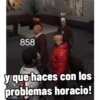
788 858 837 y que haces con los problemas horacio!
-

CULPABLE 788 837 ME LOS COMO!
-

34 177 SE ME ESTA PONIENDO TIESA! xdxd
-

N ZONAS LETS FUCKING GOO! XD
-

uetispa se ha suscrito 177 MOTHER FUCKER!! XD
-
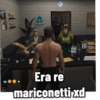
NEG 126 154 147 CLA Era re mariconetti xd
-
474 LO CURIOSO...
-
474 P.O. Utam AD E8 LO CURIOSO...
-
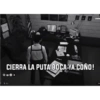
N 474 ID: 477 Ba CIERRA LA PUTA BOCA YA COÑO! C DESE D
-
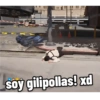
Nig soy gilipollas! xd
-
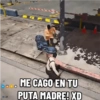
10: 9 ME CAGO EN TU PUTA MADRE! XD
-

bug canelado madera demoro Resparcion disponible en rute Mauric ALBRDA imba BUZO-EM DESENPLEADO - SE ME ESTA PONIENDO TIESA! XD
-

V Ensenalicecocero Respatcon disponiteen (18 mbroice 13 segunibe JODER QUE RECUERDOS XD
-

189 guatafac amigo vos estas reloco
Download and Install on WhatsApp
The Sticker Maker app is necessary to install this sticker pack on your WhatsApp. If you don't have it, download it from: Google Play Store and App Store. Once you have it on your phone, follow these instructions:
- Download the sticker file we provide below (it has the .wastickers extension). Locate the downloaded file on your mobile and tap it. Your device will ask you which application you want to open it with; select Sticker Maker. The app will automatically recognize the file as a new sticker pack.
- Once you see the pack inside Sticker Maker, just press the button that says "Add to My Library", then "Add to WhatsApp" and that's it! Your new stickers will be available for use in all your WhatsApp conversations.
Installation on WhatsApp with Sticker.ly
An easy way to add this pack is through the Sticker.ly app. If you don't have it yet, download it from: Google Play Store and App Store. Then choose one of these two simple methods:
- With Direct Link: Simply tap this link to the pack 6OC6DA. If you have Sticker.ly installed, you will immediately see the stickers in the app.
- Using the Pack Code: If you prefer, you can copy the "pack code" by tapping here: and paste it into the search bar inside the Sticker.ly app.
Once inside Sticker.ly, confirm the action by tapping "Add to WhatsApp" and the stickers will be instantly sent to your WhatsApp app.