

Teks anomali
📦 The 'Teks anomali' pack includes 20 stickers freshly updated. Free download to install on WhatsApp.
-
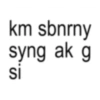
km sbnrny syng ak g si
-
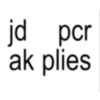
jd pcr ak plies
-
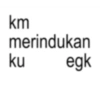
km merindukan ku egk
-
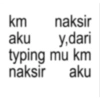
km naksir aku y,dari typing mu km naksir aku
-
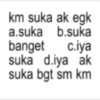
km suka ak egk a.suka b.suka banget c.iya suka d.iya ak suka bgt sm km
-
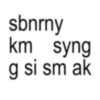
sbnrny km syng g si sm ak
-
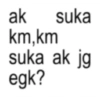
ak suka km,km suka ak jg egk?
-
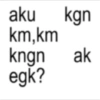
aku kgn km,km kngn ak egk?
-
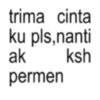
trima cinta ku pls,nanti ak ksh permen
-
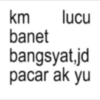
km lucu banet bangsyat,jd pacar ak yu
-

alay banget astagah
-

jangan lihat aku terus yaa, ntar kamu diabetess #anjayy
-
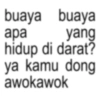
buaya buaya apa yang hidup di darat? ya kamu dong awokawok
-
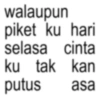
walaupun piket ku hari selasa cinta ku tak kan putus asa
-
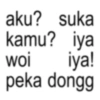
aku? suka kamu? iya iya! peka dongg woi
-
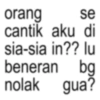
orang se cantik aku di sia-sia in?? lu beneran bg nolak gua?
-

"aku ada pantun nihh" aelah bang sebelum pantun aja lu udah cakepp
-
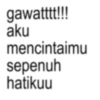
gawatttt!!! aku mencintaimu sepenuh hatikuu
-

"kamu gila ya?" iyaa woii gila karena ketampanan muu
-
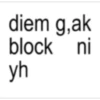
diem g,ak block ni yh
Download and Install on WhatsApp
The Sticker Maker app is necessary to install this sticker pack on your WhatsApp. If you don't have it, download it from: Google Play Store and App Store. Once you have it on your phone, follow these instructions:
- Download the sticker file we provide below (it has the .wastickers extension). Locate the downloaded file on your mobile and tap it. Your device will ask you which application you want to open it with; select Sticker Maker. The app will automatically recognize the file as a new sticker pack.
- Once you see the pack inside Sticker Maker, just press the button that says "Add to My Library", then "Add to WhatsApp" and that's it! Your new stickers will be available for use in all your WhatsApp conversations.
Installation on WhatsApp with Sticker.ly
An easy way to add this pack is through the Sticker.ly app. If you don't have it yet, download it from: Google Play Store and App Store. Then choose one of these two simple methods:
- With Direct Link: Simply tap this link to the pack EBYDON. If you have Sticker.ly installed, you will immediately see the stickers in the app.
- Using the Pack Code: If you prefer, you can copy the "pack code" by tapping here: and paste it into the search bar inside the Sticker.ly app.
Once inside Sticker.ly, confirm the action by tapping "Add to WhatsApp" and the stickers will be instantly sent to your WhatsApp app.























