Funny Animals and Reactions
📦 A collection of humorous animal images showing a variety of expressions and reactions. Use these stickers in chats to convey humor, surprise, or various emotions. The 'Funny Animals and Reactions' pack includes 30 stickers ready to share. Free download to install on WhatsApp.
-

🐐😌 Proud Goat
A goat with its head held high, looking proud. Express confidence or pride.
-

🐶👓 Dog with Glasses
A dog wearing glasses, looking intelligent. Use for smart or scholarly contexts.
-

🦈😊 Friendly Shark
A stylized shark with a big smile. Use in friendly or joking scenarios.
-

🐹🔪 Hamster with Knife
A hamster holding a small knife in its mouth. Use humorously in a playful or mischievous context.
-

😄🐶 Smiling Dog
A dog with a wide, cheerful smile. Ideal for happy or humorous exchanges.
-

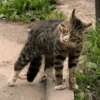
🙀😾 Annoyed Kitten
A kitten with an annoyed expression standing in a bed. Use when expressing annoyance or frustration.
-

😿💔 Sad Cat
A cat with a sad expression, looking through a netted window. Express sadness or longing.
-

😽💤 Sleeping Kitten
A kitten sleeping peacefully on a bed. Use when talking about rest or relaxation.
-

😴🐱 Tired Cat
A cat resting with its head leaning on a surface. Ideal for expressing fatigue or needing a break.
-

😺😴 Yawning Cat
A cat with its mouth wide open, caught mid-yawn. Great for expressing tiredness or boredom.
-

😸🎧 Cat with Headphones
A cat sitting outside, wearing headphones. Use for music or relaxation themes.
-

🦝🚪 Raccoon at the Door
A raccoon standing at a doorstep, looking straight ahead. Use for surprise visits or unexpected moments.
-
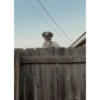
🐕🐶 Fence Dog
A dog with a head popping over a wooden fence. Use for curiosity or peeking situations.
-

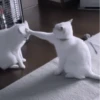
🐹💃 Dancing Hamsters
Two hamsters held to look like they're dancing. Fun for playful or lighthearted conversations.
-
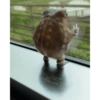
🐸🌧 Lonely Frog
A frog looking out of a window, appearing lonely. Use for feelings of solitude or reflection.
-
🐮👀 Curious Cow
Close-up of a cow looking curiously at the camera. Ideal for when intrigued or questioning things.
-

🐐😲 Surprised Goat
A goat with wide eyes and an open mouth, looking surprised. Great for expressing shock or surprise.
-
🐴😒 Bored Horses
Two horses standing together, appearing unimpressed. Perfect for expressing boredom or disinterest.
-

🦌👀 Side-eye Deer
A deer giving a side-eye look, conveying skepticism. Use for expressing doubt or suspicion.
-

🐕👀 Puppy Eyes
A dog with large, soulful eyes looking up. Perfect for expressing hope or longing.
-

🐹🍴 Hamster Eating
A cute hamster nibbling on a tiny piece of food. Share when talking about snacks or small treats.
-

🐶😈 Dog with Horns
A playful dog wearing black fake horns, grinning. Use for a mischievous or cheeky mood.
-

🐟🤔 Fish Close-up
A close-up of a fish underwater with an inquisitive look. Useful for underwater or curious themes.
-

😼🤨 Skeptical Black Cat
A black cat with a skeptical expression. Perfect for expressing doubt or disbelief.
-

🦜📞 Parrot Operator
A parrot wearing a small headset, like a call operator. Use in communication or tech-related themes.
-

🙀😲 Surprised Cat
A black cat with wide eyes showing surprise. Ideal for shocks or unexpected news.
-
🐐❤️ Goat Close-up
A close-up of a young goat being gently held. Great for showing affection or endearment.
-
🦎👀 Curious Gecko
A gecko peeking from behind a pole. Use when being inquisitive or sneaky.
-

🐱🗿 Cat in Statue's Arms
A cat comfortably sitting in the lap of a large statue. Ideal for a peaceful or calm situation.
-
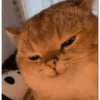
😸👍 Satisfied Cat
A cat with a content and satisfied expression. Perfect for expressing contentment or approval.
Download and Install on WhatsApp
The Sticker Maker app is necessary to install this sticker pack on your WhatsApp. If you don't have it, download it from: Google Play Store and App Store. Once you have it on your phone, follow these instructions:
- Download the sticker file we provide below (it has the .wastickers extension). Locate the downloaded file on your mobile and tap it. Your device will ask you which application you want to open it with; select Sticker Maker. The app will automatically recognize the file as a new sticker pack.
- Once you see the pack inside Sticker Maker, just press the button that says "Add to My Library", then "Add to WhatsApp" and that's it! Your new stickers will be available for use in all your WhatsApp conversations.
Installation on WhatsApp with Sticker.ly
An easy way to add this pack is through the Sticker.ly app. If you don't have it yet, download it from: Google Play Store and App Store. Then choose one of these two simple methods:
- With Direct Link: Simply tap this link to the pack 339OS0. If you have Sticker.ly installed, you will immediately see the stickers in the app.
- Using the Pack Code: If you prefer, you can copy the "pack code" by tapping here: and paste it into the search bar inside the Sticker.ly app.
Once inside Sticker.ly, confirm the action by tapping "Add to WhatsApp" and the stickers will be instantly sent to your WhatsApp app.
Use on Telegram
For Telegram users, installing a sticker pack is a native and extremely simple process. Just follow this link that will take you to Telegram: stickerly_339OS0_by_stickerly_official_bot. When the app opens, you will instantly see the pack and can add it to your library, without the need for third-party apps.