
Cuyitos Navideños
📦 Das Paket 'Cuyitos Navideños' enthält 27 Sticker frisch aktualisiert. Kostenloser Download zur Installation auf WhatsApp. Diese Sticker enthalten Sätze auf Spanisch.
-

FABIOLA Y eso que tiene que ver con la navidad?
-

FABIOLA Feliz navidad amiguitos!
-
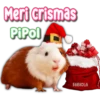
Meri crismas PiPol FABIOLA
-

Todo lo que quiero Para navidad FABIOLA Eres tuvu
-

subete FABIOLA Vamos a Pasar Navidad Juntos
-

Y que en la esquina no me digan El Venao, el Vendo FABIOLA
-

¡Que tengas una bonita navidad! FABIOLA Te quiero mucho
-

¿Quieres ver Pelis navideñas conmigo? MI POBRE FABIOLA ANGELITO
-

Feliz navidad FABIOLA Hermosuras
-
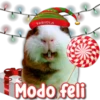
FABIOLA Modo feli
-
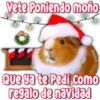
Vete Poniendo moño FABIOLA Que ya te Pedi Como regalo de navidad
-

FABIOLA Otra vez Santa no me trajo a mi crush
-

Yo soy tu regalo beibi FABIOLA
-

FABIOLA Eso no ha sido muy navideño de tu parte
-

Si Santa no te trae nada FABIOLA Recuerda que yo te traigo ganas JSJSJS
-

parezco árbol de navidad Solo me quieren un mes Jsjaja FABIOLA
-

FABIOLA Navidad Porque Feliz cuando estoy contigo
-

¡Felices fiestas! FABIOLA
-

FABIOLA A dónde es la fiesta?
-
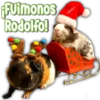
¡Fuimonos Rodolfo! FABIOLA
-

FABIOLA Te invito 8 A desenredar las luces de navidad Juntos, mailov
-

Peeepats ele coau snelo clues Ya sabes por que FABIOLA JeJoll sagap on Pórtate bien
-

FABIOLA ¡Besos 9 abrazos Para ti!
-

FABIOLA ¡Feliz navidad amorcito!
-

FABIOLA ya es navida?
-
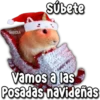
FABIOLA Subete 1 vamos a las Posadas navideñas
-
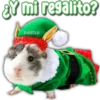
¿Y mi regalito? FABIOLA ܐ ܐܘܕܐ
Herunterladen und in WhatsApp installieren
Die App Sticker Maker ist erforderlich, um dieses Sticker-Paket in Ihrem WhatsApp zu installieren. Falls Sie sie nicht haben, laden Sie sie von: Google Play Store und App Store herunter. Sobald Sie sie auf Ihrem Telefon haben, folgen Sie diesen Anweisungen:
- Laden Sie die von uns unten bereitgestellte Sticker-Datei herunter (sie hat die Erweiterung .wastickers). Suchen Sie die heruntergeladene Datei auf Ihrem Handy und tippen Sie darauf. Ihr Gerät fragt Sie, mit welcher Anwendung Sie sie öffnen möchten; wählen Sie Sticker Maker. Die App erkennt die Datei automatisch als neues Sticker-Paket.
- Sobald Sie das Paket in Sticker Maker sehen, drücken Sie einfach die Schaltfläche „Zu meiner Bibliothek hinzufügen“, dann "Zu WhatsApp hinzufügen" und das war's! Ihre neuen Sticker stehen für alle Ihre WhatsApp-Gespräche zur Verfügung.