
️ ️Mixtos navideños
📦 Das Paket '️ ️Mixtos navideños' enthält 30 Sticker bereit zum Teilen. Kostenloser Download zur Installation auf WhatsApp. Diese Sticker enthalten Sätze auf Spanisch.
-

Hola mi amor que la pases bonito está Navidad
-

ya van empezar con sus hipocresias bola de falsos!!
-

MERRY CHRISTMAS esperando mi regalo
-

Merry Christmas aunque ya no estás conmigo te deseo feliz Navidad, te amo pásala bien
-

23 * alv todos 43 se portaron mal
-

Merry Christmas Elmo quiere su pack navideño!!
-

se que no hemos hablado mucho pero feliz Navidad!!
-

ya va hacer Navidad y no parece
-

la navidad ya está aquí!! tú regalo no,te portaste mal este año pecador
-

hora de dar abrazos falsos
-

MERRY CHRISTMAS solo quisiera pasarla contigo está Noche buena 00
-

besame ya es Navidad!!
-

solo me faltas tú en esta navidad
-

regalos por un abrazo tuyo sabes? cambiaria todos mis
-

osea que no va a ver aguinaldo?
-

solo deseo que tengas una noche buena y seas feliz este dia, dónde quiera que estés
-

En este día no puedo evitar extrañarte
-

MERRY CHRISTMAS ya los vi tragando pavo como cerdos y abrazando a los que odian
-

S la Navidad no es lo mismo si no estás
-
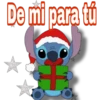
De mi para tú
-

feliz Navidad A ti q eres de mi familia!!
-

te amo Feliz Navidad
-

feliz Navidad e
-

solo paso a dejarte un abrazo por ser Navidad!
-

feliz Navidad infiel!!
-

86 Y ya es navidad día de darte todo mi amor my love
-

quieres pasar está navidad en mi casa ?
-

se que suelo ser fri@ y estar ausente с pero te quiero feliz Navidad!!
-

Apesar de todo llegamos the mantie estamos juntos esta Navidad!!
-

opšenim od kon
Herunterladen und in WhatsApp installieren
Die App Sticker Maker ist erforderlich, um dieses Sticker-Paket in Ihrem WhatsApp zu installieren. Falls Sie sie nicht haben, laden Sie sie von: Google Play Store und App Store herunter. Sobald Sie sie auf Ihrem Telefon haben, folgen Sie diesen Anweisungen:
- Laden Sie die von uns unten bereitgestellte Sticker-Datei herunter (sie hat die Erweiterung .wastickers). Suchen Sie die heruntergeladene Datei auf Ihrem Handy und tippen Sie darauf. Ihr Gerät fragt Sie, mit welcher Anwendung Sie sie öffnen möchten; wählen Sie Sticker Maker. Die App erkennt die Datei automatisch als neues Sticker-Paket.
- Sobald Sie das Paket in Sticker Maker sehen, drücken Sie einfach die Schaltfläche „Zu meiner Bibliothek hinzufügen“, dann "Zu WhatsApp hinzufügen" und das war's! Ihre neuen Sticker stehen für alle Ihre WhatsApp-Gespräche zur Verfügung.