AuronPlay frases
📦 Das Paket 'AuronPlay frases' enthält 29 Sticker unverzichtbare Sticker. Kostenloser Download zur Installation auf WhatsApp. Diese Sticker enthalten Sätze auf Spanisch.
-
Que te e dicho que no @teniente.mantequillaxD REMEMBERS NORTH THE coño!!
-
THE NORTH REMEMBERS
-

DARIZ CER Te doy besitos...
-

@teniente.mantequillaxD EMEMBERS NORTH THE No voy a decir nada xd
-

@teniente.mantequillaxD THE REMEMBERS NORTH Solo me quiero morir ahora mismo
-
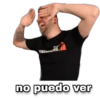
EMERDERS TH no puedo ver
-
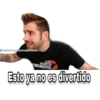
@tentente-mantequillaxD THE EMEMBERS NORTH Esto ya no es divertido
-
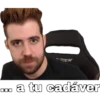
CER D. a tu cadáver 000
-

@teniente mantequil THE REMEMBERS NORTH antes de pensar hay que votar xd
-

åteniente mantequillaxD THE REMEMBERS NORTH me está doliendo :'v
-

@teniente.mantequillaxD THE NORTH REMEMBERS Bueno eso significa que estás muerto ¿no?
-

Tu amor me hace vibrar
-

-

REMERS TH paramédico por favor!
-
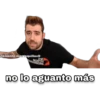
teniente.mantequillaxD EMELHOR no lo aguanto más
-

-
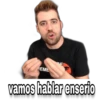
REME E vamos hablar enserio
-
THE REMEMBERS NORTH
-
@teniente.mantequillaxD THE NORTH REMEL Te pido que te calmes
-
Yo soy antiviolencia xd
-
@teniente.mantequillaxD THE NORTH REMEMBERS es que esto es muy desagradable!!
-

Aunque con esa cara UCAR FANTA @teniente.mantequillax D esta complicada la cosa ¿ch?
-

Eso huele a culo amigo mio
-

Y tu me haces vomitar
-

@teniente.mantequillaxD THE NORTH Me niego, no quiero hacerlo.
-
@teniente.mantequillaxD THE REMEMBERS NORTH Ya no la quiero.
-

REMERS
-
REMERS THE @teniente.mantequillaxD aaaaahh
-
@teniente.mantequillaxD THE REMEMBERS NORTH Yo no me río
Herunterladen und in WhatsApp installieren
Die App Sticker Maker ist erforderlich, um dieses Sticker-Paket in Ihrem WhatsApp zu installieren. Falls Sie sie nicht haben, laden Sie sie von: Google Play Store und App Store herunter. Sobald Sie sie auf Ihrem Telefon haben, folgen Sie diesen Anweisungen:
- Laden Sie die von uns unten bereitgestellte Sticker-Datei herunter (sie hat die Erweiterung .wastickers). Suchen Sie die heruntergeladene Datei auf Ihrem Handy und tippen Sie darauf. Ihr Gerät fragt Sie, mit welcher Anwendung Sie sie öffnen möchten; wählen Sie Sticker Maker. Die App erkennt die Datei automatisch als neues Sticker-Paket.
- Sobald Sie das Paket in Sticker Maker sehen, drücken Sie einfach die Schaltfläche „Zu meiner Bibliothek hinzufügen“, dann "Zu WhatsApp hinzufügen" und das war's! Ihre neuen Sticker stehen für alle Ihre WhatsApp-Gespräche zur Verfügung.