Chems 🐾
📦 U pacchettu 'Chems 🐾' cuntene 15 stickers cù grande varietà. Scaricamentu gratuitu per installà nant'à WhatsApp.
-

Tmmst
-

Me sonrojas!
-

Estás bien? o que te duele?
-
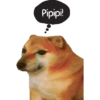
Pipipi!
-

Cosa Rica!
-
-
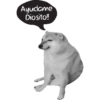
Ayudame Diosito!!
-
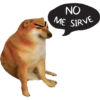
NO ME SIRVE
-
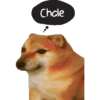
Chale
-
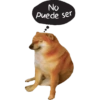
No Puede ser
-
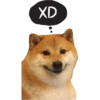
XD
-
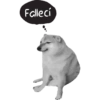
Fallecí
-
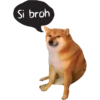
Si broh
-

-
Scaricate è stallate nant'à WhatsApp
L'applicazione Sticker Maker hè necessaria per stallà stu pacchettu di stickers nant'à u vostru WhatsApp. Se ùn l'avete, scaricatela da: Google Play Store è App Store. Una volta stallata nant'à u vostru telefunu, seguitate l'istruzzioni seguenti:
- Scaricate u schedariu di stickers chì furnimu quì sottu (hà l'estensione .wastickers). Truvate u schedariu scaricatu nant'à u vostru mobile è toccu. U vostru dispusitivu vi dumandarà cù quale applicazione vulete apre lu; sceglite Sticker Maker. L'applicazione ricunnosce automaticamente u schedariu cum'è un novu pacchettu di stickers.
- Una volta chì vedite u pacchettu drentu à Sticker Maker, premete solu u buttone chì dice “Aghjunghje à a mo Libreria”, dopu "Aghjunghje à WhatsApp" è basta! I vostri novi stickers saranu dispunibuli per l'usu in tutte e vostre cunversazione WhatsApp.
Stallazione nant'à WhatsApp cù Sticker.ly
Un modu sèmplice per aghjunghje stu pacchettu hè attraversu l'applicazione Sticker.ly. Se ùn l'avete micca ancu, scaricatela da: Google Play Store è App Store. Dopu sceglite unu di sti dui metudi sèmplice:
- Cù Ligame Direttu: Basta à tuccà stu ligame à u pacchettu U5F6HE. Se Sticker.ly hè stallatu, vi vede subitu i stickers in l'applicazione.
- Aduprendu u Codu di u Pacchettu: Se preferite, pudete cupià u "codu di u pacchettu" toccu quì: è incollà lu in a barra di ricerca drentu à l'applicazione Sticker.ly.
Una volta drentu à Sticker.ly, cunfirmate l'azzione premendu "Aghjunghje à WhatsApp" è i stickers seranu mandati subitu à a vostra app WhatsApp.
Aduprà nant'à Telegram
Per l'utilizatori di Telegram, a stallazione di un pacchettu di stickers hè un prucessu nativu è assai sèmplice. Basta à seguità stu ligame chì vi purterà à Telegram: stickerly_U5F6HE_by_stickerly_official_bot. Quandu l'applicazione si apre, vi vede u pacchettu subitu è pudete aghjunghje lu à a vostra libreria, senza bisognu di app di terze parti.