

Meow Mood
📦 The 'Meow Mood' pack includes 25 stickers must-have stickers. Free download to install on WhatsApp.
-

🥺 Pleading Eyes
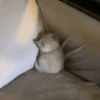
A fluffy white cat stares with huge round eyes and a tiny pout. When you want something or play innocent after mischief.
-
-

-

-

😱 Screaming Cat
A silver cat mid-scream with its mouth wide open on the bed. React to shocking news, drama, or sudden panic.
-

😒 Unimpressed
A white cat squints with a flat, unamused expression. When something is underwhelming or you quietly disapprove.
-

-

👉 Shy Pointing
A fluffy beige cat with blush marks and pointing-finger emojis. When you're embarrassed, flustered, or being bashful.
-

👍 Thumbs Up
A cat gives a thumbs-up with drawn-on angry brows. Approve a plan, say you got it, or look smugly done.
-

😊 Soft Blush
Close-up of a white cat with pink blush marks on its cheeks. Feeling cute, shy, or sending a sweet reaction.
-

😛 Tongue Out
A white cat looks dazed with its tongue slightly sticking out. When you're being silly, tired, or a little goofy.
-

-
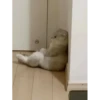
😔 Corner Time
A cat sits slumped in a corner against the wall. After a scolding, feeling left out, or dramatic sulking.
-

-

-

😠 Super Grumpy
A fluffy grey-white cat glares with a deep frown. When you're annoyed, done with everything, or judging hard.
-

😍 Heart Gaze
An orange cat close-up surrounded by hearts and stars. Express love, crush feelings, or extra-adorable affection.
-

-

🥰 Held Cutie
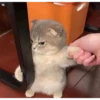
A grey-white cat is held with blush marks and big eyes. Feeling spoiled, cute, or gently asking for attention.
-

👉 That's You
A cat with angry brows points a paw right at you. Call someone out, assign blame, or say that's you.
-
-

-

-

-

😲 Jaw Drop
A silver cat stares with huge blue eyes and an open mouth. Pure shock, disbelief, or I cannot believe this.
Download and Install on WhatsApp
The Sticker Maker app is necessary to install this sticker pack on your WhatsApp. If you don't have it, download it from: Google Play Store and App Store. Once you have it on your phone, follow these instructions:
- Download the sticker file we provide below (it has the .wastickers extension). Locate the downloaded file on your mobile and tap it. Your device will ask you which application you want to open it with; select Sticker Maker. The app will automatically recognize the file as a new sticker pack.
- Once you see the pack inside Sticker Maker, just press the button that says "Add to My Library", then "Add to WhatsApp" and that's it! Your new stickers will be available for use in all your WhatsApp conversations.























